Getting Started
How to Find and Read In-App Help
Open Help & Guide, search the built-in articles, and read a topic without leaving SeaVesselManager.
Overview
Help & Guide provides short built-in articles for common tasks. It is useful when a crew member or office user needs guidance while working in the application. This guide demonstrates finding the Adding a Vessel article.
Before You Start
- Sign in and open the desktop layout.
- Remember that built-in help and this support library can be updated separately. Follow the actual labels and controls in your installed version.
Step-by-Step Instructions
-
Open Help & Guide
Click Help & Guide in the left sidebar.
Locate the article groups and the Search articles... field inside the help page.
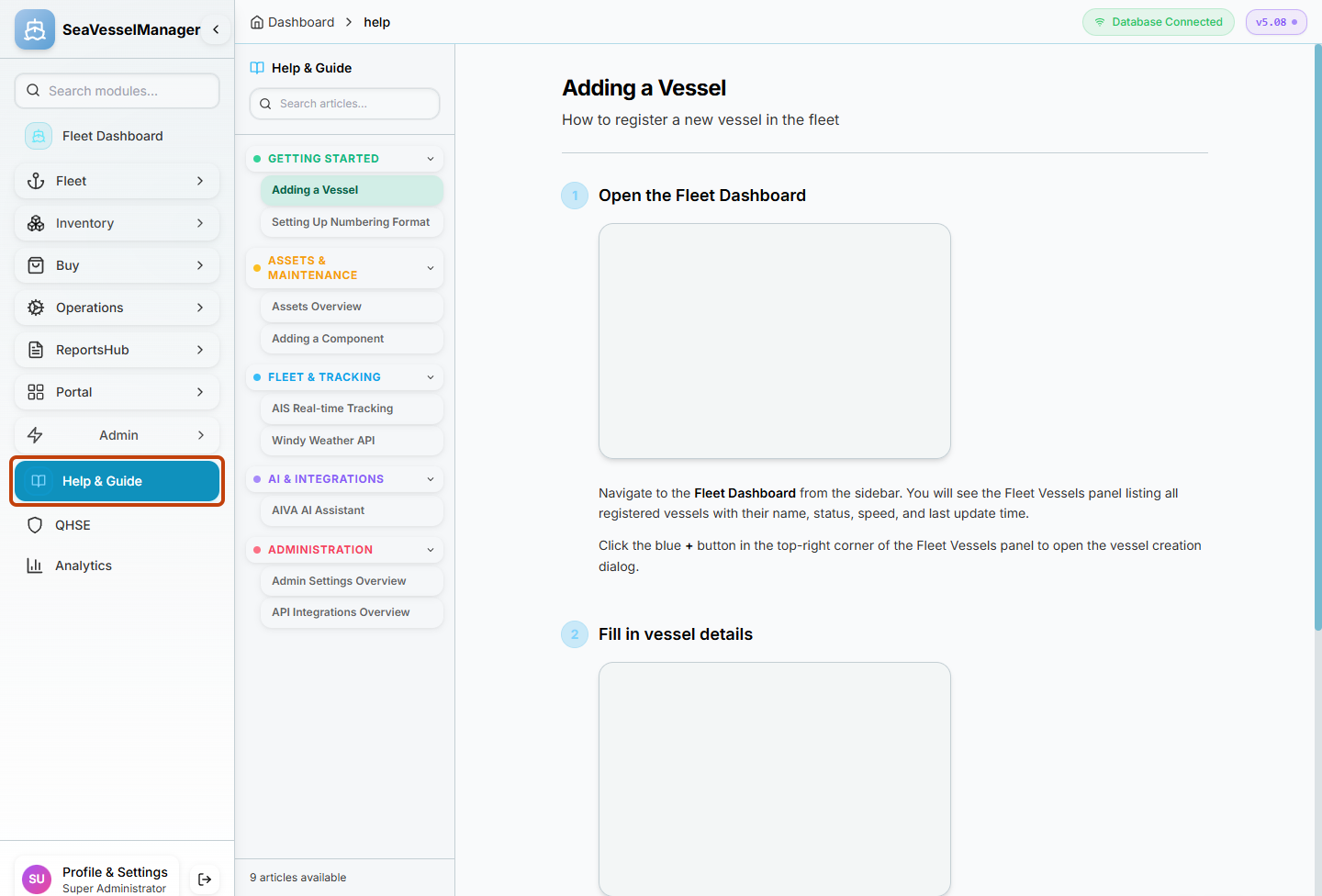
Help & Guide is the application's built-in help area. -
Search for a topic
Enter vessel in Search articles....
Look for Adding a Vessel in the filtered article list. Use the help-page search, not Search modules... in the main sidebar.
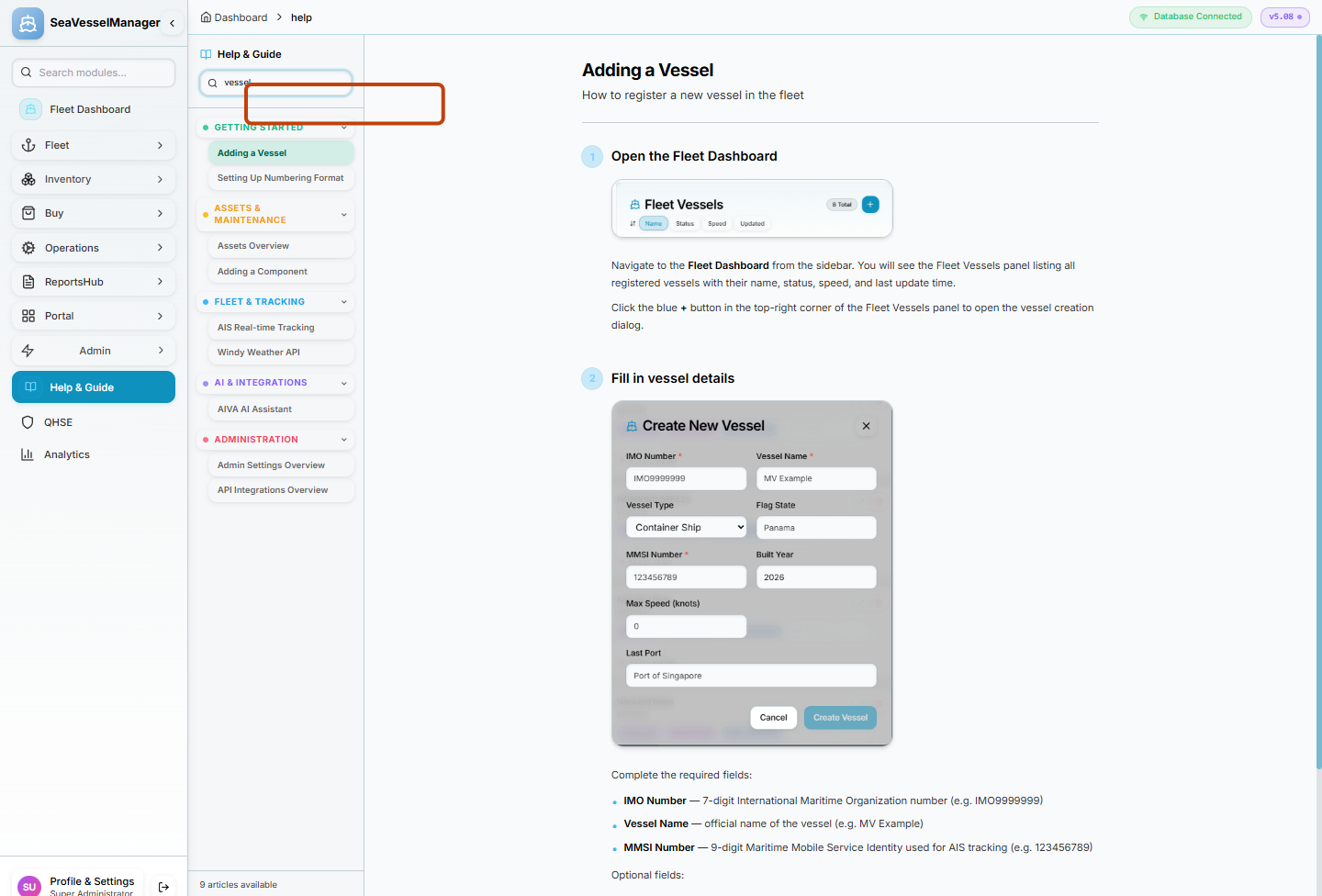
Search articles... narrows the help topics shown in the article list. -
Read the article
Click Adding a Vessel.
Confirm the article title appears in the content panel, then read its numbered instructions and images.
Clear the article search when you want to browse all topics again.
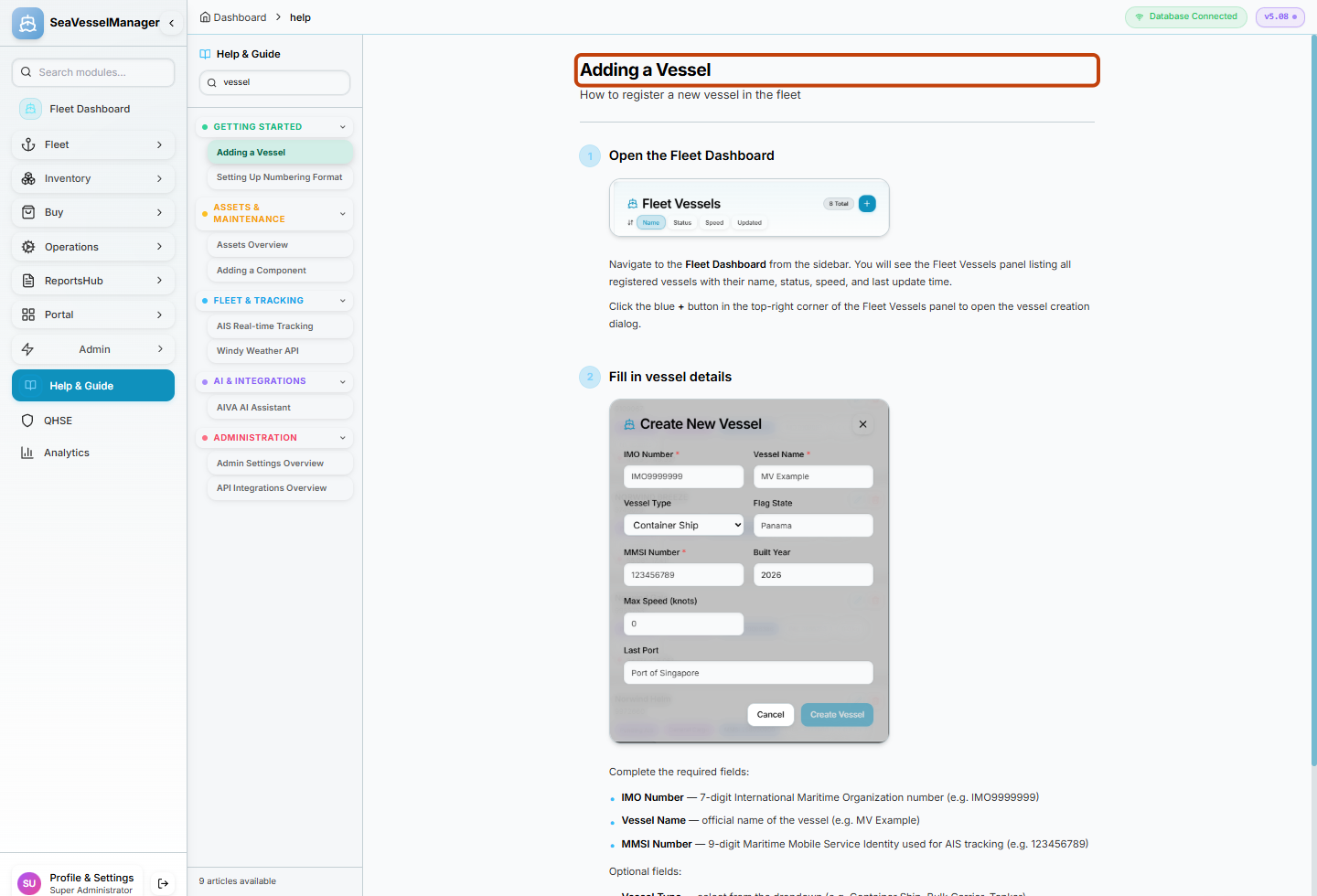
The selected article is displayed beside the help navigation.
Result
The chosen help article is open and can be read while you remain signed in to SeaVesselManager.