Dashboard & Navigation
How to Find a Module with Navigation Search
Use Search modules to locate a SeaVesselManager navigation entry without manually opening every sidebar group.
Overview
Navigation search helps office users and crew find a work area by its menu name. It searches navigation labels, not vessel records, spare parts, or work-order descriptions. This example locates Maintenance.
Before You Start
- Sign in and use the desktop sidebar.
- Your account must have access to the module you are searching for.
Step-by-Step Instructions
-
Enter the module name
Click Search modules... near the top of the left sidebar.
Type Maintenance.
The Operations group opens and the matching Maintenance entry is highlighted. Other sidebar groups may remain visible; this is a navigation aid rather than a records search.
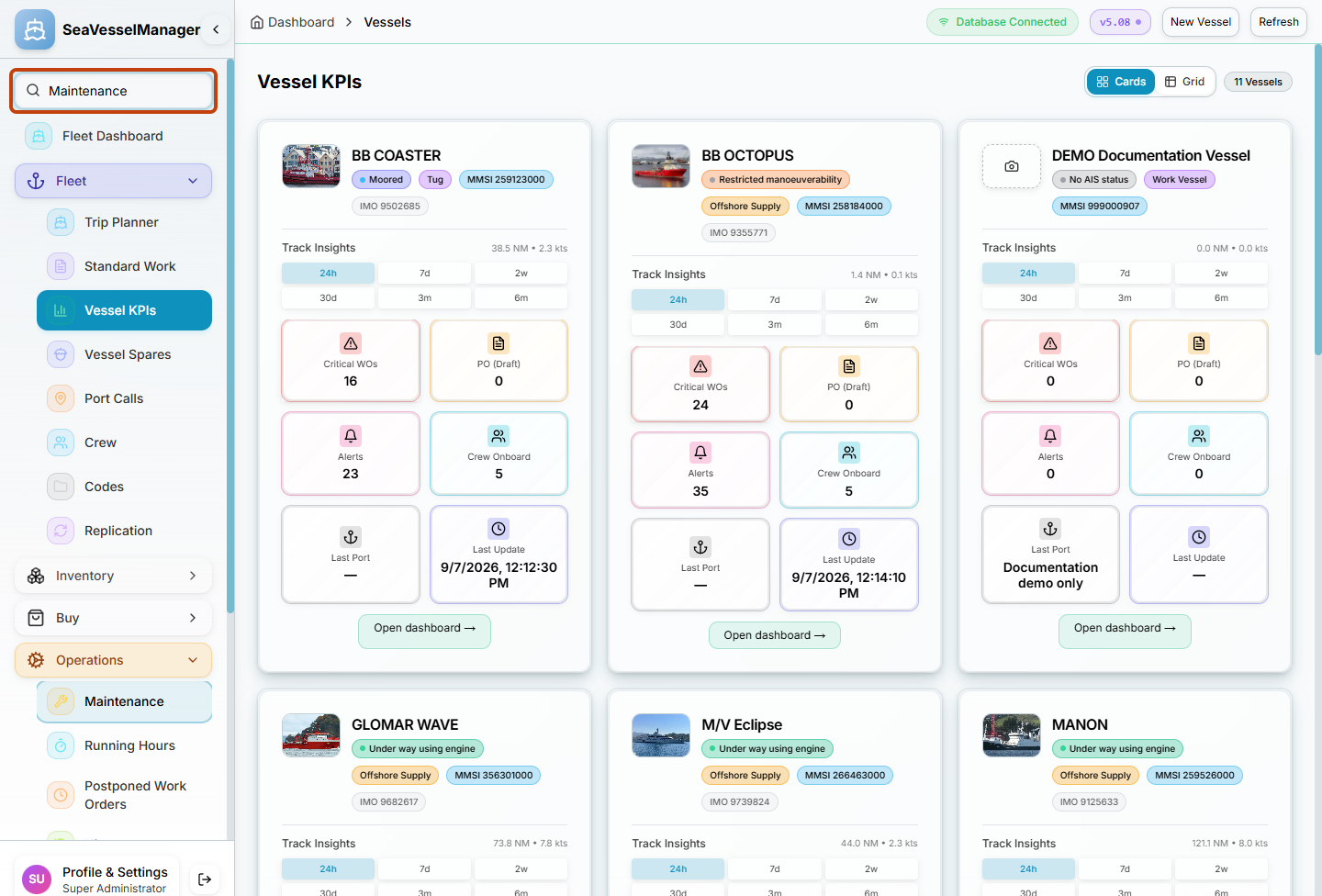
Search modules... locates the Maintenance navigation entry under Operations. -
Open the matching entry
Click Maintenance in the sidebar.
Confirm that the maintenance work area opens.
Clear the text from Search modules... when you no longer need the navigation highlight.
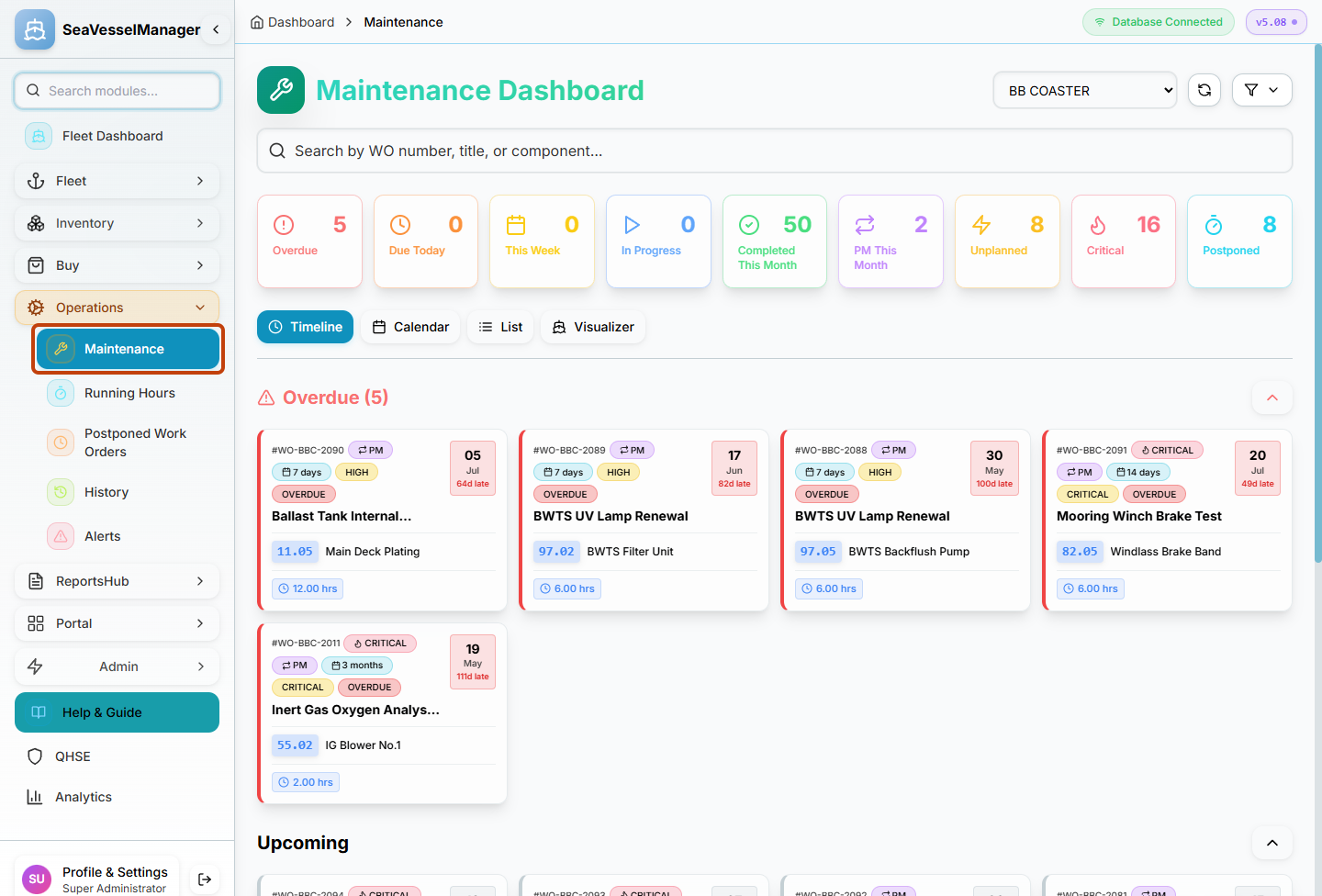
Select the matching sidebar entry to open the module; typing alone does not open it.
Result
The requested module opens without needing to inspect every navigation group.