Dashboard & Navigation
How to Open a Module from the Navigation Menu
Expand the SeaVesselManager sidebar groups and open a module using the exact navigation labels shown in the application.
Overview
The left sidebar groups related work areas. Use it to move between fleet records, maintenance, inventory, purchasing, reports, and administration without returning to the login screen. This guide follows the Vessel KPIs page as a practical example.
Before You Start
- Sign in to SeaVesselManager.
- Use the desktop layout shown in these screenshots.
- Your account needs access to the module you want to open. This example requires vessel viewing access.
Step-by-Step Instructions
-
Expand a navigation group
Find Fleet in the left sidebar and click it.
The group expands to show its available pages. Scroll within the sidebar if the list extends below the visible area.
Find Vessel KPIs in the expanded Fleet group.
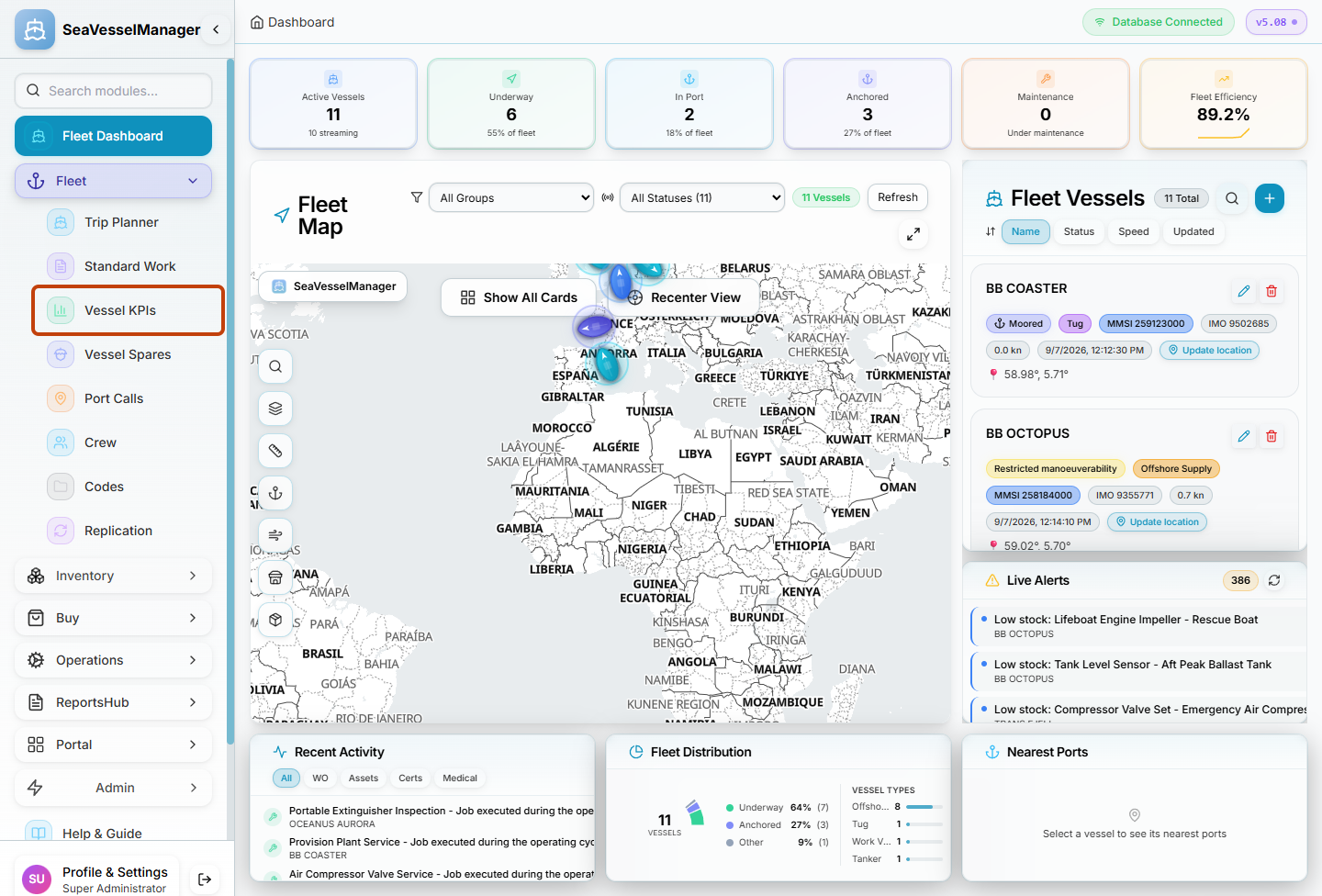
Fleet is a navigation group. Vessel KPIs is the page selected in this example. -
Open the page
Click Vessel KPIs.
Confirm that the main page heading reads Vessel KPIs. The corresponding sidebar entry is highlighted.
To return to the main overview later, click Fleet Dashboard near the top of the sidebar.
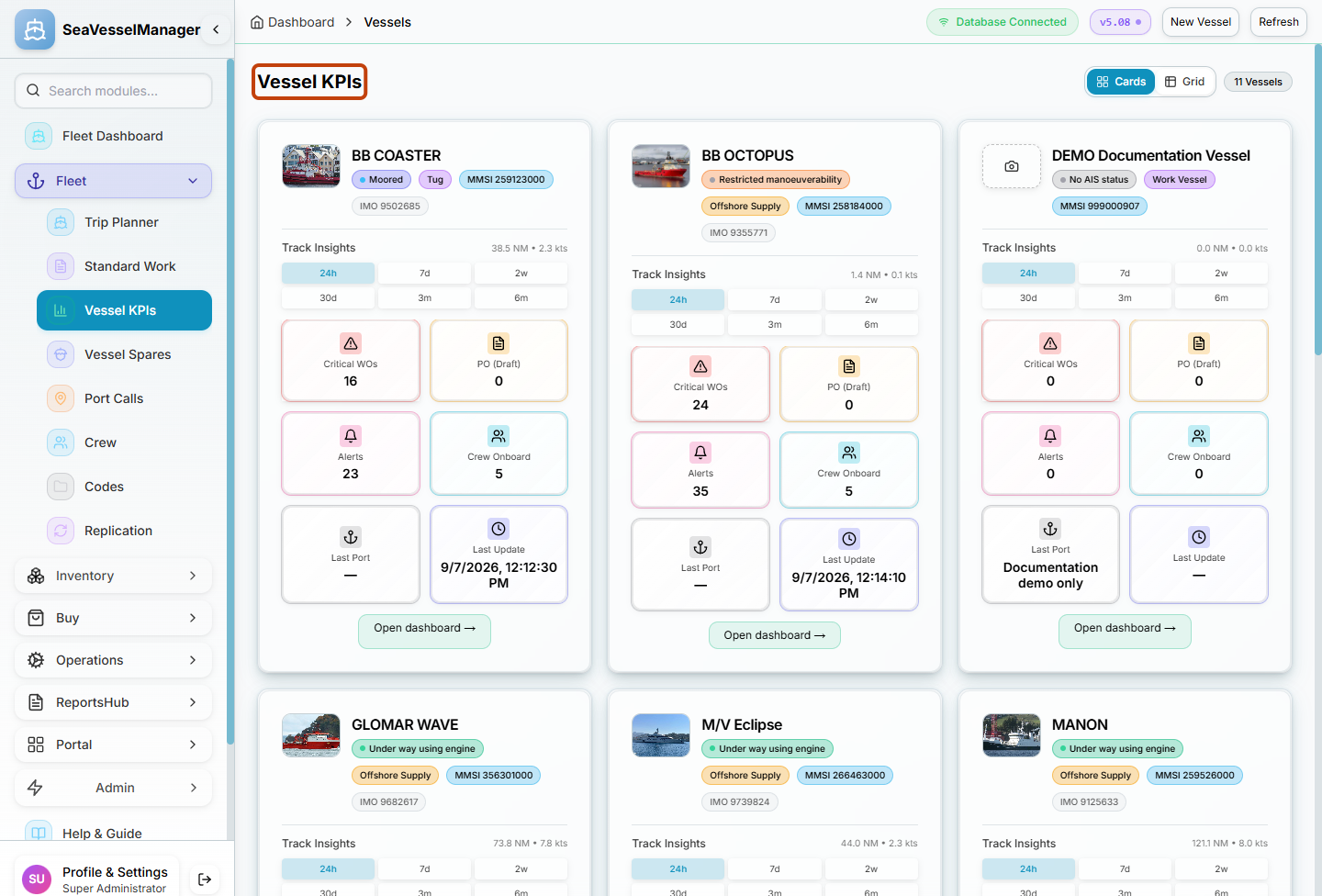
The page heading confirms which work area is open.
Result
The selected module opens, its page heading is visible, and the sidebar indicates your current location.
FAQs
Why is a module missing?
The sidebar filters many modules by permission. Ask your administrator to check your role and vessel access rather than assuming the module is absent from your installation.