Settings
How to Open Your Profile and Settings
Find Profile & Settings and open the System Settings page without changing your account or company configuration.
Overview
The account area at the bottom of the desktop sidebar provides access to Settings, Change Password, and Logout. This guide shows how to reach Settings and identify the page before making any changes.
Before You Start
- Sign in to SeaVesselManager.
- Use the expanded desktop sidebar. The account menu is at its bottom.
Step-by-Step Instructions
-
Open the account menu
Click Profile & Settings at the bottom of the left sidebar.
Confirm that the account menu shows Settings, Change Password, and Logout.
Click Settings. Do not click Logout unless you intend to end your session.
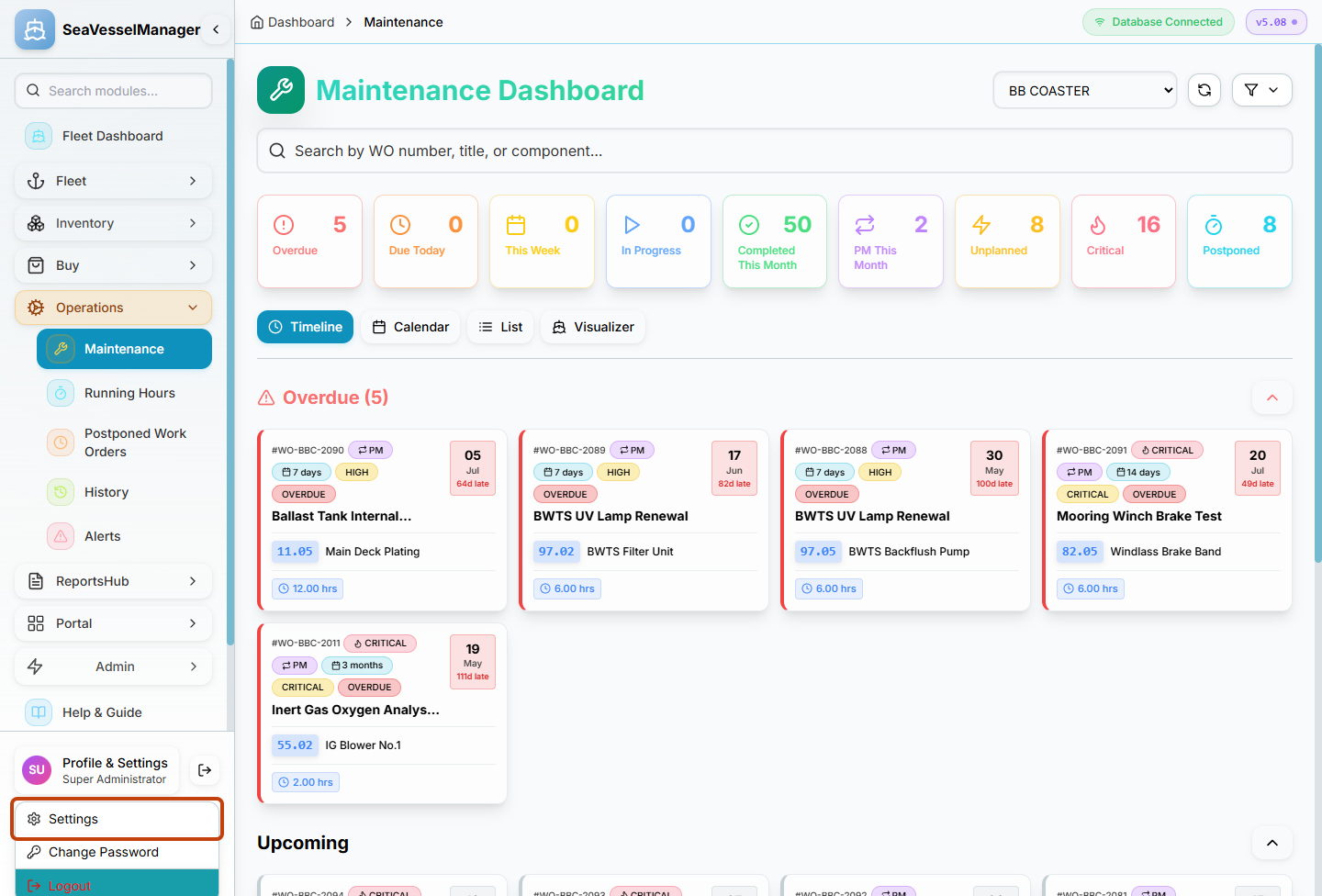
Settings opens the preferences page; Change Password and Logout are separate actions. -
Review the settings page
Confirm that the page heading is System Settings.
The upper part of the page includes Profile Picture and Appearance. Additional configuration sections depend on the page and your access.
If you only came to inspect the page, use the sidebar to leave without clicking any save, activation, or test-email controls.
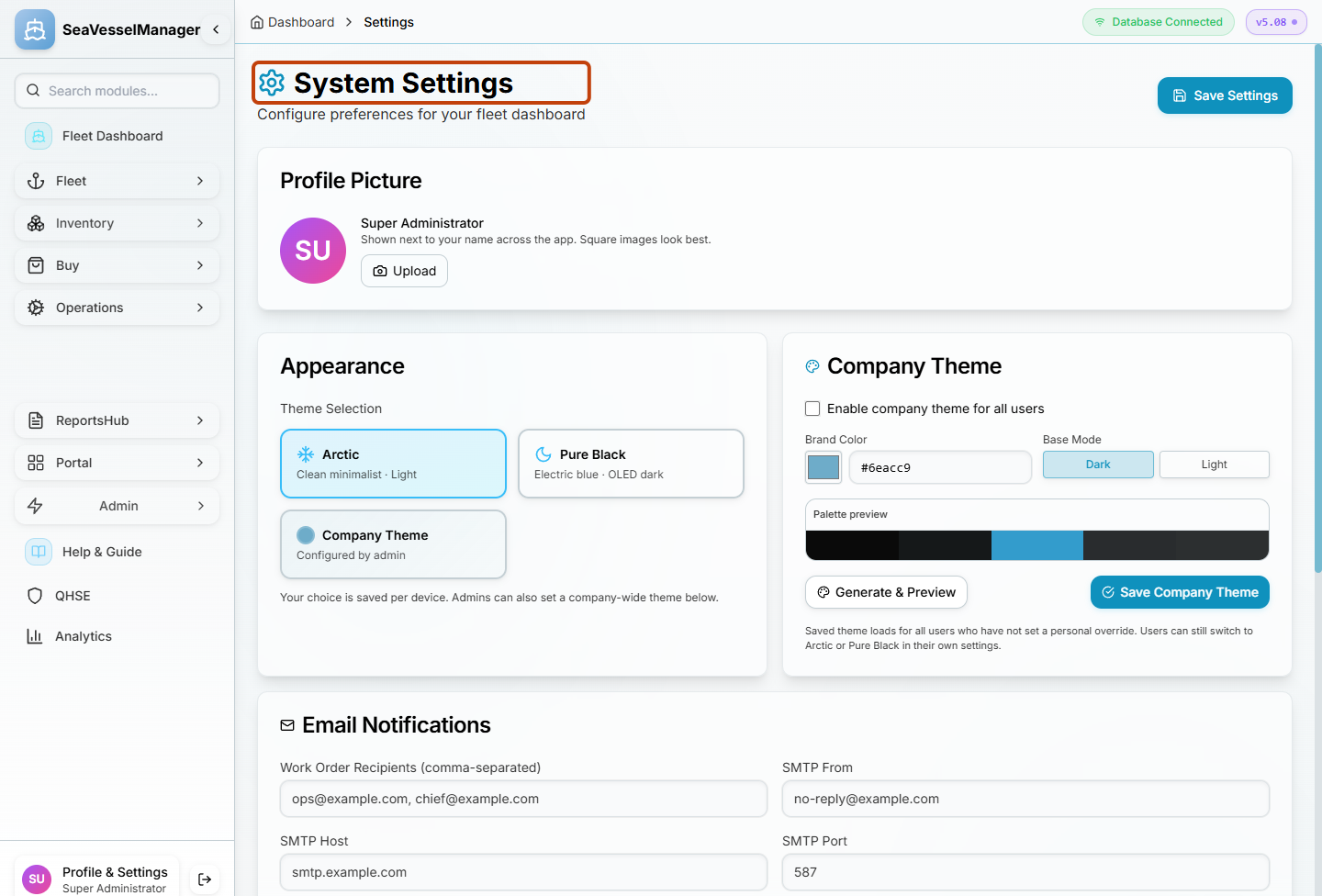
System Settings as displayed to the documentation administrator. This guide does not change or save any settings.
Result
You have reached System Settings and can identify the appropriate area without altering your configuration.