Fleet Management
How to Add a Vessel
Create a vessel in SeaVesselManager using its name and MMSI, then confirm it appears in Vessel KPIs.
Overview
A vessel record is the starting point for organising equipment, maintenance, crew, and other vessel-related work. Fleet administrators normally create these records before operational data is assigned. This guide covers manual entry, without using an external AIS lookup.
Before You Start
- Sign in with vessel viewing and creation permissions. The creation permission is modules.vessels.create.
- Have the vessel's correct name and MMSI available. MMSI means Maritime Mobile Service Identity and identifies the vessel's radio/AIS station.
- Check that the vessel does not already exist. Use genuine vessel identifiers in an operational installation, not the demonstration values shown here.
Step-by-Step Instructions
-
Open the new-vessel form
In the left sidebar, expand Fleet and click Vessel KPIs.
Click New Vessel in the top bar.
The Create New Vessel form opens.
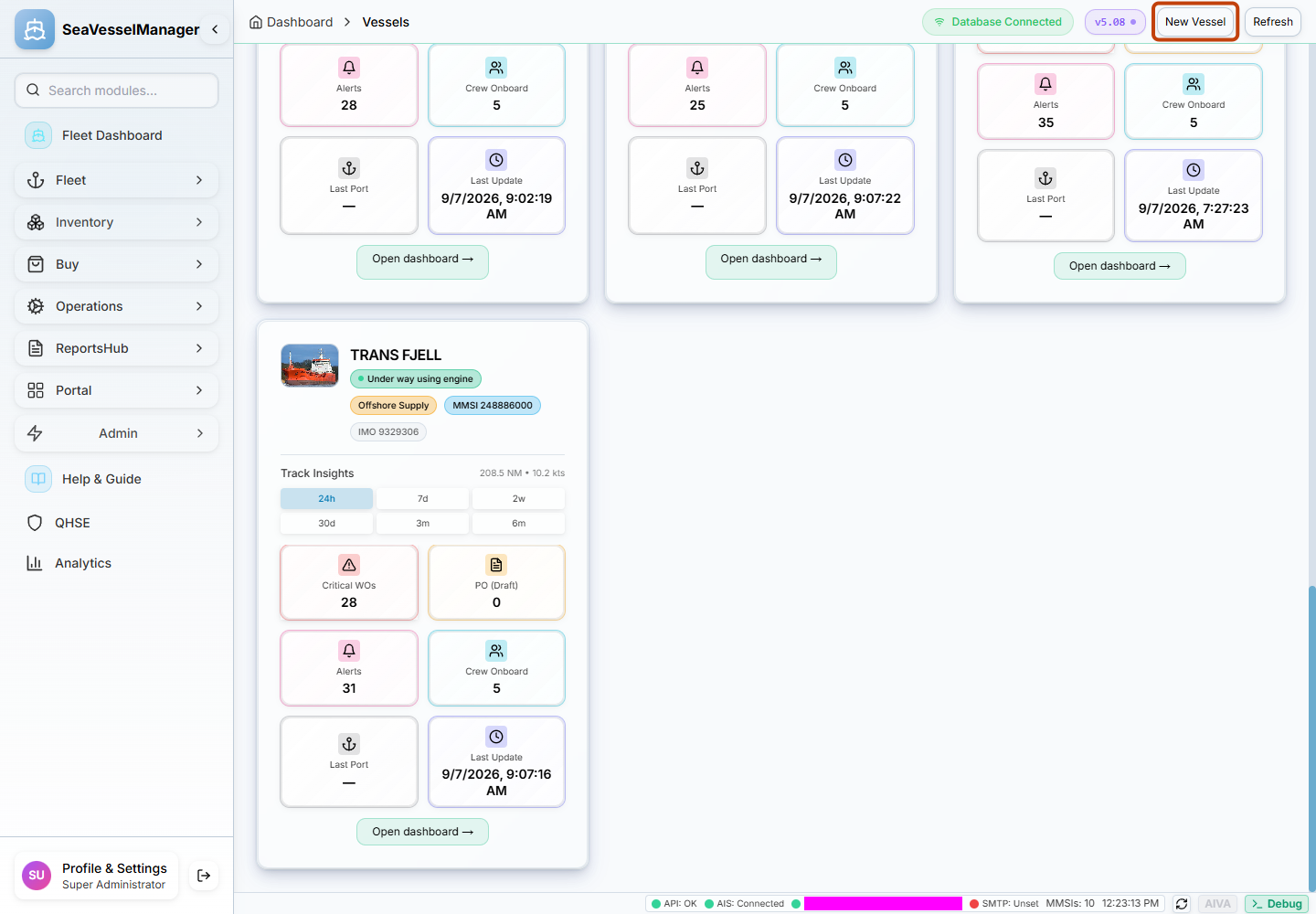
New Vessel opens the manual vessel registration form. -
Enter the vessel details
Enter Vessel Name and MMSI Number. These two fields are marked with an asterisk and are required by the form.
Enter IMO Number if you have it. It is optional in this form; do not invent one.
Choose the appropriate Vessel Type and Flag State.
Review Built Year, Max Speed (knots), and Last Port. Built Year initially shows the current year, so replace it with the correct year where needed.
The optional Look up by name (BarentsWatch AIS) section is not needed for manual entry. All fields remain manually editable.
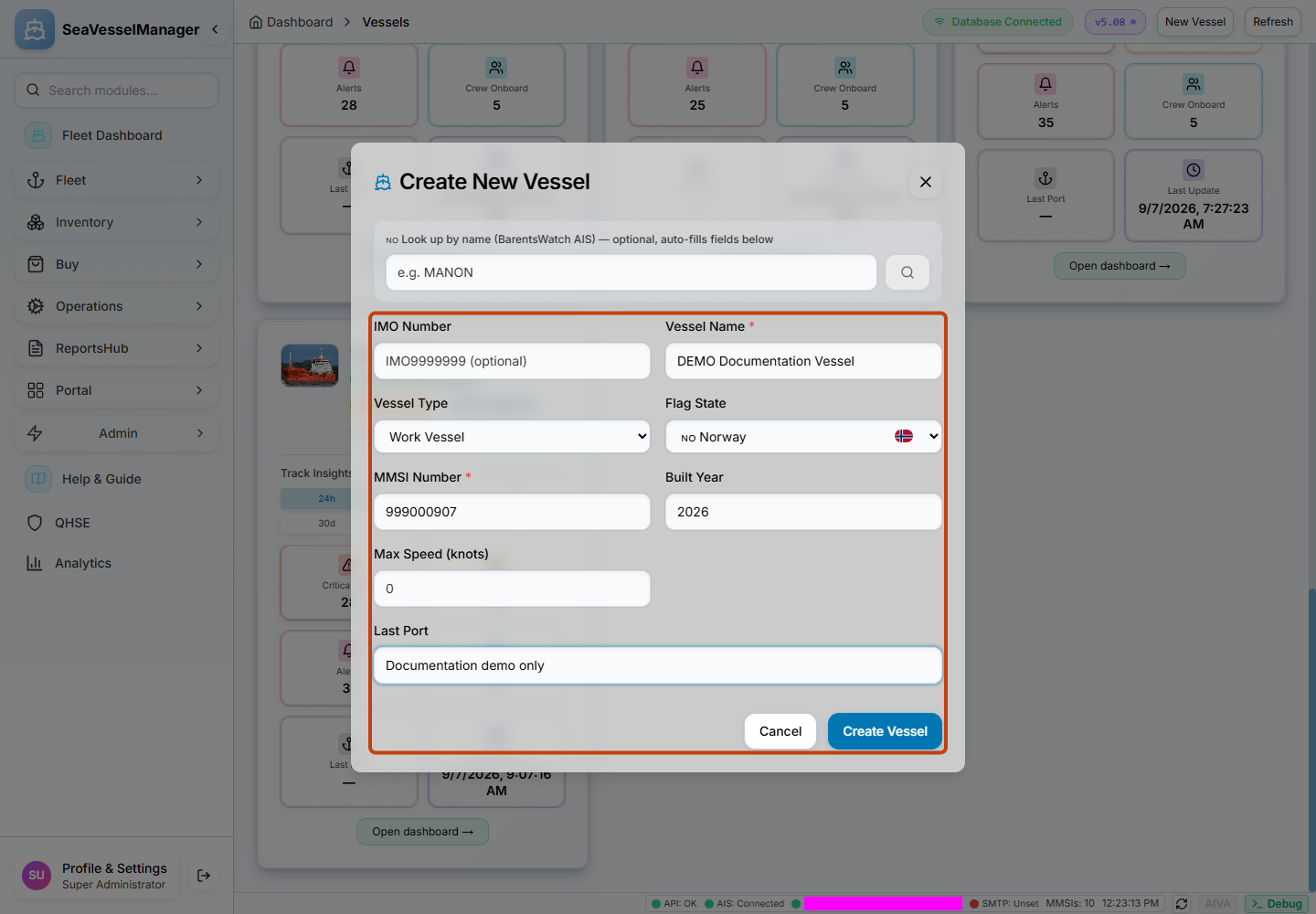
The form shows the required name and MMSI plus optional vessel information. The values shown are for documentation testing only. -
Save and confirm the record
Check the vessel name and identifiers carefully, then click Create Vessel.
Wait for the form to close and the success confirmation.
Find the new vessel on the Vessel KPIs page. Its card appears alongside the other vessels you can access.
If an error appears, read it and correct the affected information before trying again. Do not create another vessel record to work around an unresolved duplicate.
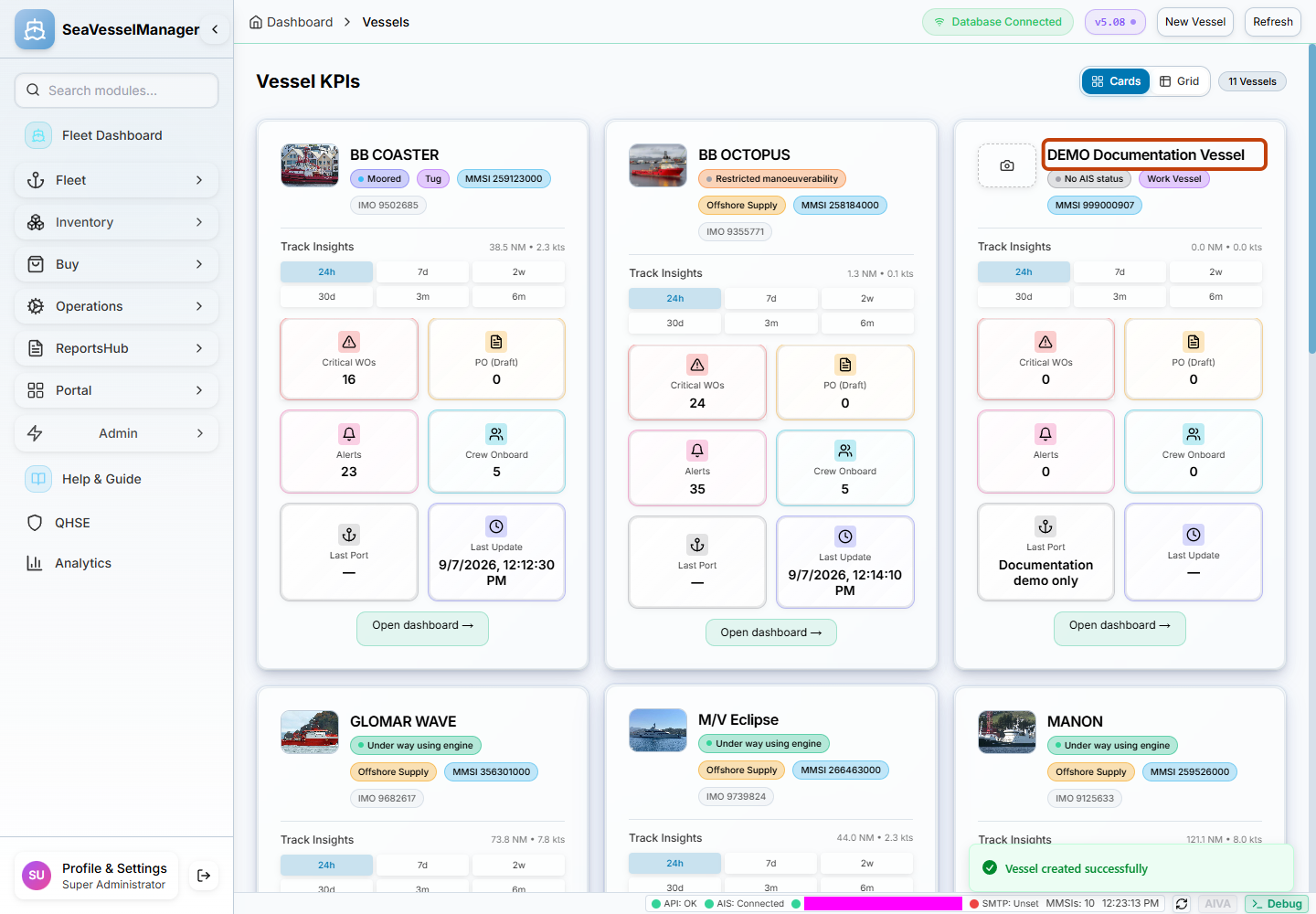
The new vessel is visible after saving. The documentation check also confirmed that it remained after reloading the page.
Result
The vessel record is saved and appears in Vessel KPIs. You can now continue setting up the vessel's operational records.
FAQs
Is an IMO number required?
No. The current creation form marks Vessel Name and MMSI Number as required; IMO Number is optional.
Must I use the BarentsWatch lookup?
No. The lookup is optional. This guide verifies manual creation with the lookup left unused.
Can any signed-in user create vessels?
No. The backend requires the vessel creation permission. Ask an administrator if your role does not permit creation.