Spare Parts & Inventory
Find which equipment uses a stock item
Search a vessel's stock by maker part number and inspect its Linked Assets/Components panel.
Overview
Start from a stock item when you know its maker part number but need to identify its existing equipment links. Selecting the row opens the link details below the stock table without editing the item.
Before You Start
- Sign in with modules.vessels.view and view access to the vessel.
- Have modules.inventory.view, or both modules.stock.view and modules.spare-parts.view. Stock view opens the page; the stock and link APIs require Spare Parts view or Inventory view.
- Have an existing stock item with an equipment link. The example uses BB COASTER and PN-AERAT-35185.
Step-by-Step Instructions
-
Find the part in the correct vessel's stock
Open Stock at /stock and choose your vessel in Vessel. The example uses BB COASTER.
Select All Spare Parts Onboard in Locations on Board to avoid restricting the search to one folder.
Enter PN-AERAT-35185 in Search above the stock table. Confirm the Aeration Blower Belt - Aeration Blower row appears.
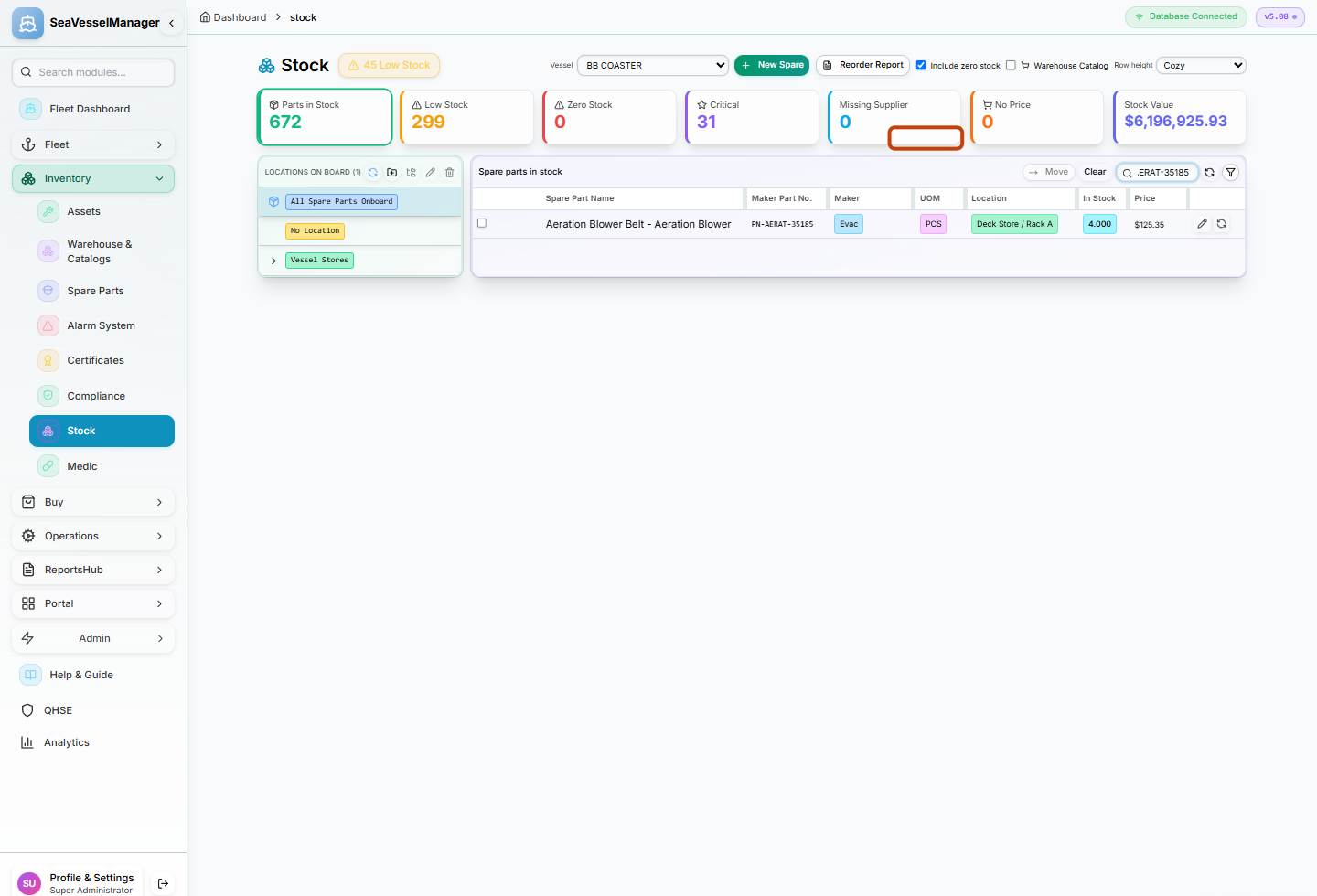
Search by the maker part number after selecting the vessel and location scope. -
Read the existing equipment link
Click the part name or row body, not its selection checkbox, Edit icon or Adjust Stock icon.
Look below the table for Linked Assets/Components. Scroll down if needed.
Read SFI Code, Asset/Component Name and Qty. The example shows 96.04, Aeration Blower and Qty 2.
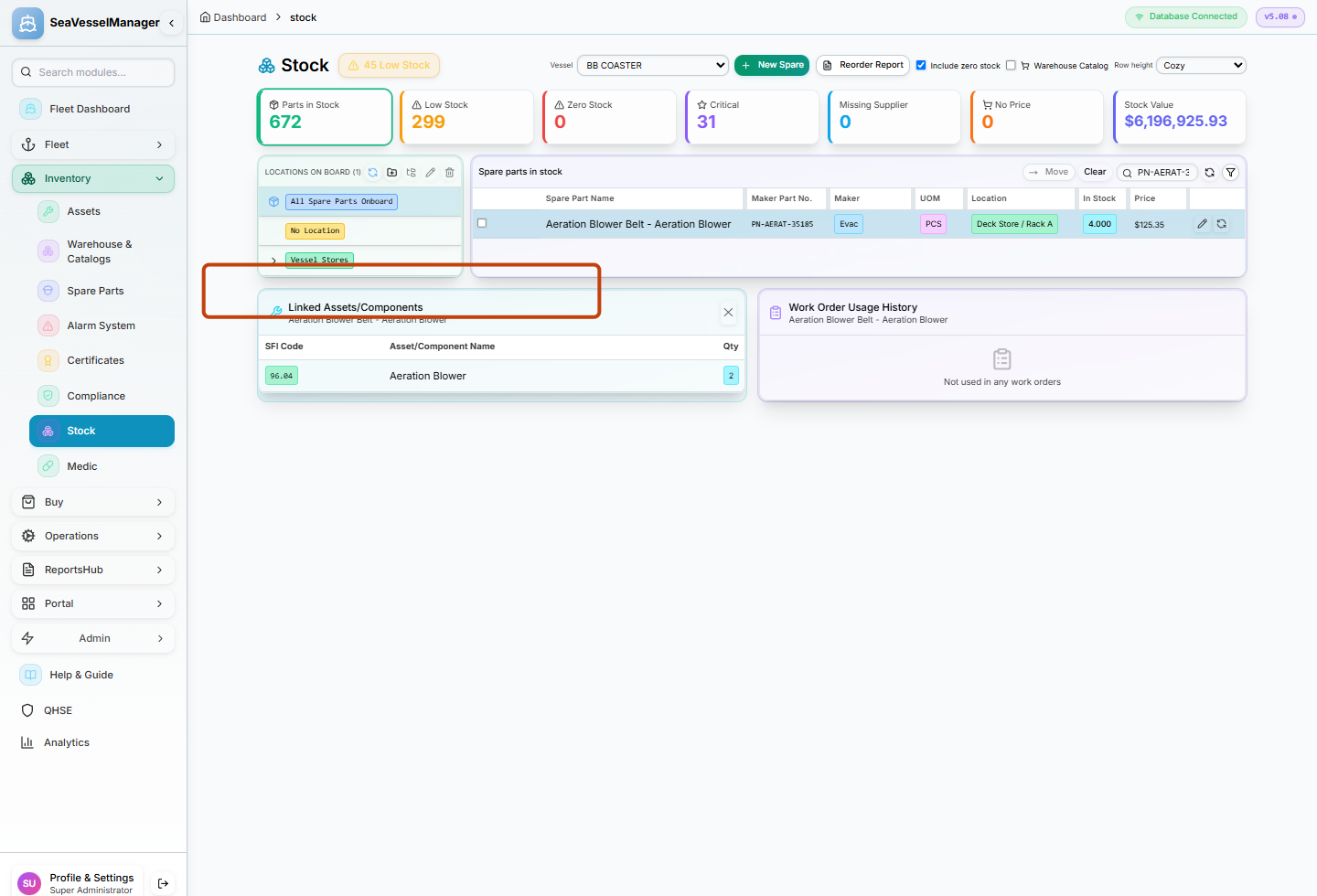
Selecting a stock row displays its existing equipment links below the table.
Result
You can identify the equipment, SFI code and linked quantity associated with the selected stock item without changing its stock balance.
FAQs
What does Not linked to any assets mean?
The Linked Assets/Components panel has no link rows to display for the selected part. This is different from the neighboring work-order usage panel.
Does Qty in the link panel show the current stock balance?
No. The link panel shows the equipment-link quantity. The stock table's In Stock column shows the stock quantity.