Spare Parts & Inventory
Include zero-stock parts in a vessel spare search
Reveal an existing part with no stock by changing Include zero stock in Vessel Spares.
Overview
Vessel Spares initially excludes zero-stock parts. Select a vessel, search for a part family, then enable Include zero stock to include matching parts whose balance is zero. This changes the list, not any quantity.
Before You Start
- Sign in with modules.vessels.view, view access to the vessel, and either modules.inventory.view or modules.spare-parts.view.
- The vessel must already have spare records. To see the difference, use a part family with both positive and zero stock; BB COASTER has this example for Anchor Chain Shackle.
Step-by-Step Instructions
-
Search the vessel's positive-stock parts
Open Vessel Spares at /vessel-spares.
Click BB COASTER in Vessels & Locations, or select your vessel. Select the vessel row itself rather than a location folder for a vessel-wide search.
Leave Include zero stock unchecked and enter Anchor Chain Shackle in Search spares…. The example shows seven matching positive-stock rows.
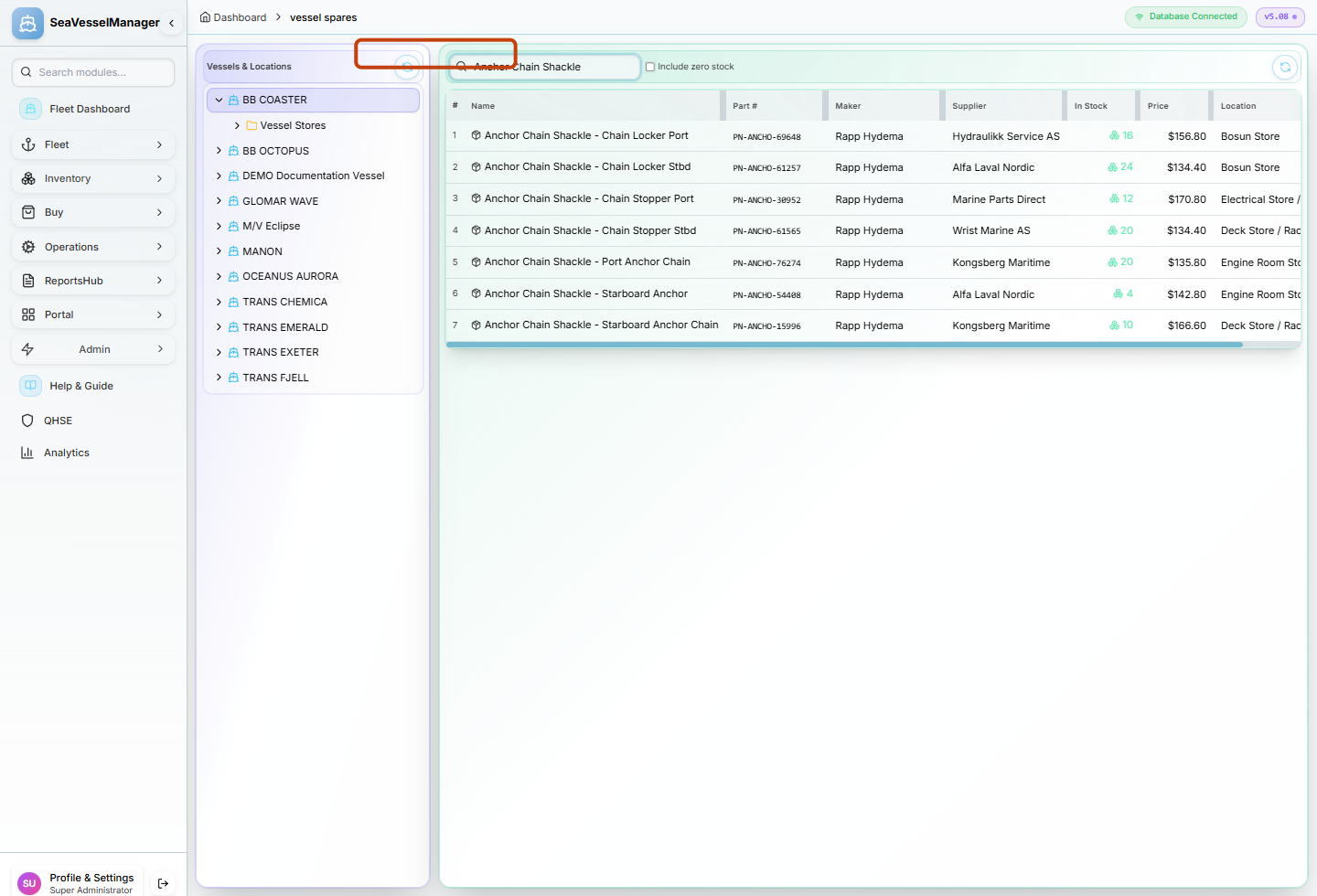
Select a vessel before searching; the initial list excludes zero stock. -
Reveal the zero-stock part
Check Include zero stock beside the search field and wait for the list to refresh.
Locate Anchor Chain Shackle - Port Anchor, Part # PN-ANCHO-96470. Its In Stock value is 0; the example now has eight rows.
Uncheck Include zero stock to return to the seven positive-stock matches. The zero-stock record is hidden, not deleted.
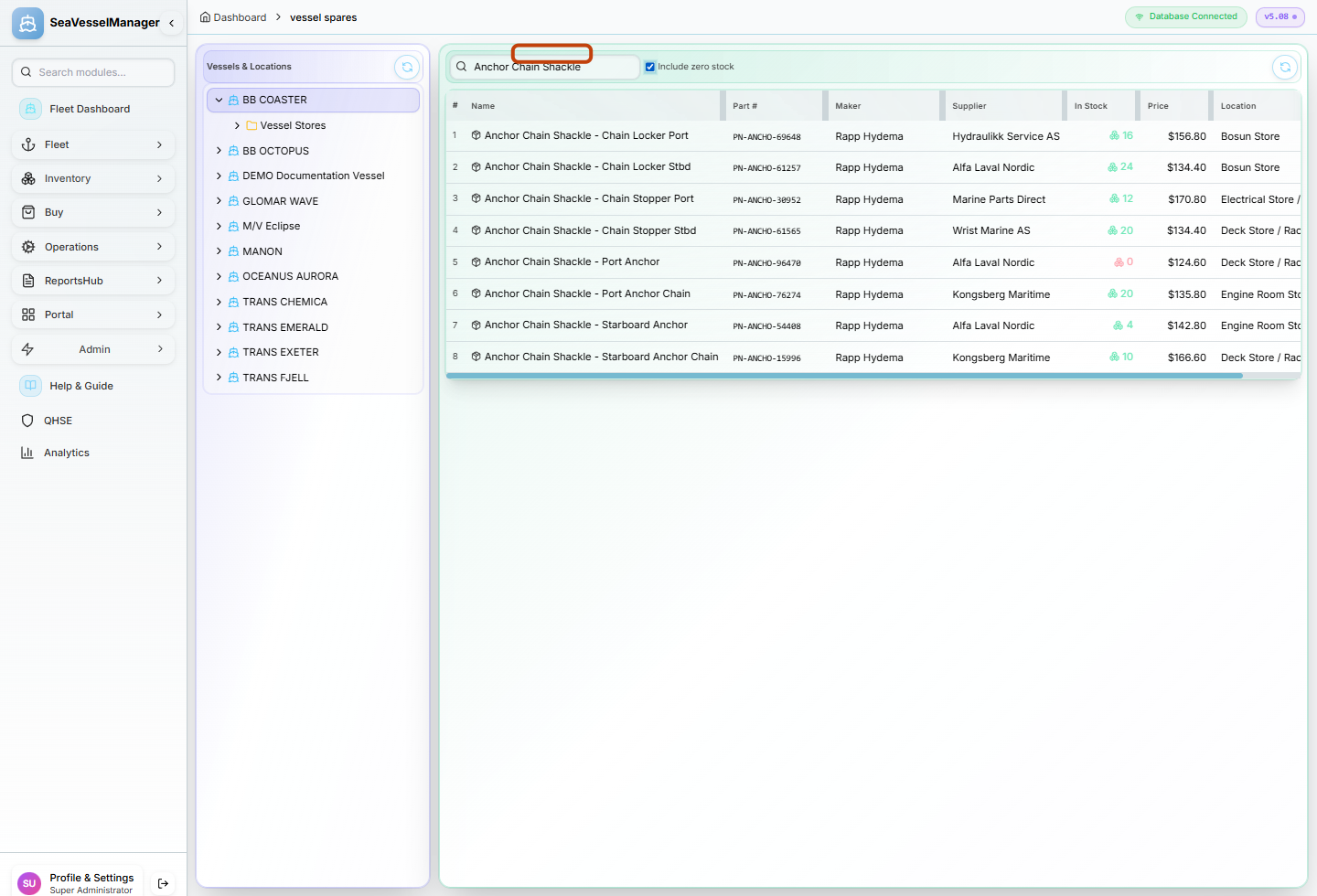
The checked filter reveals the existing zero-stock Port Anchor record.
Result
The vessel's matching zero-stock parts are visible when Include zero stock is checked and excluded again when it is unchecked.
FAQs
Why is the table empty before I choose a vessel?
Vessel Spares does not load its stock query until a vessel is selected. Click a vessel in Vessels & Locations first.
Will this checkbox reveal an item that does not match my search?
No. The search still filters the returned spare records. Clear or broaden the search if the expected item does not match the current text.