Administration
What is the superadmin role?
Identify the superadmin account and role, and understand what full system access means.
Overview
Superadmin is the built-in full-access administrator in SeaVesselManager. It is shown as a user account and as a role. The guide shows how to find both without changing users, roles, or permissions.
Before You Start
- Sign in as an administrator. The verification session used the superadmin account itself.
- Open the Users and Roles modules.
Step-by-Step Instructions
-
Find the superadmin user in the Users list
Open the Users module from the sidebar.
Click the Search users... field and enter superadmin.
Review the matching user row. In the demo this is superadmin@system.local.
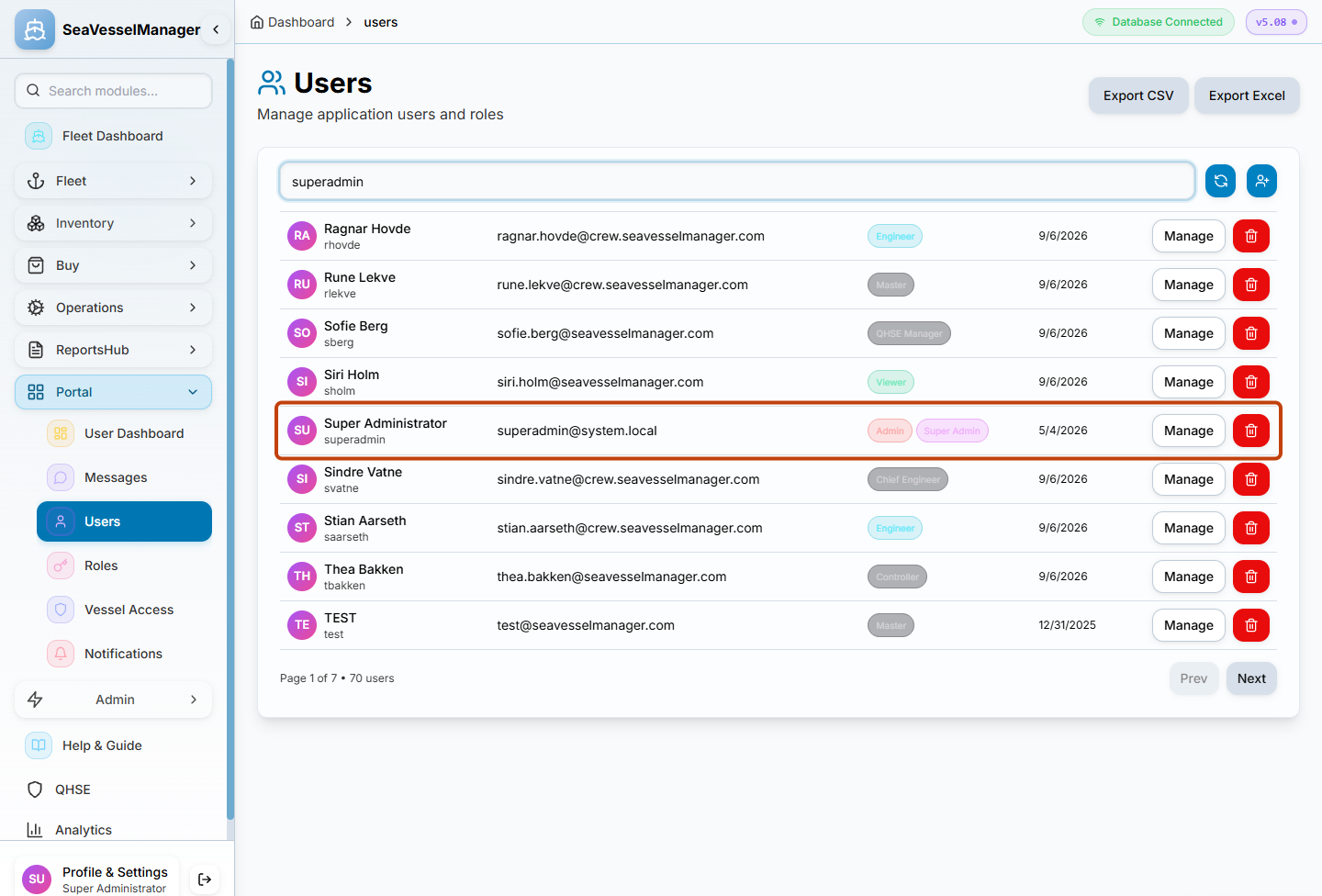
The superadmin user appears as a regular account row in the Users list. -
Find the superadmin role in Roles and Permissions
Open Roles and Permissions.
Click the Search roles... field and enter superadmin.
Review the matching role row.
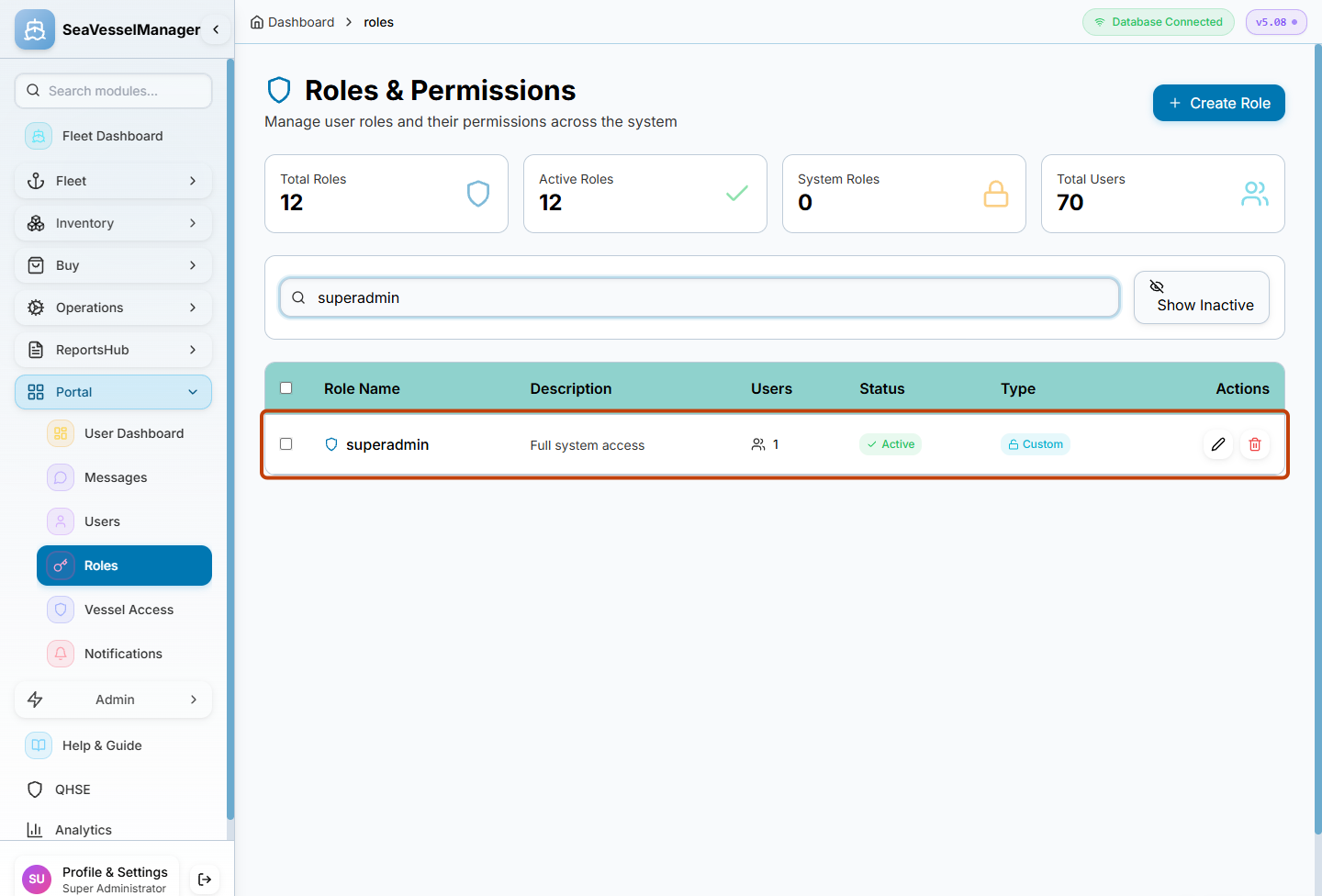
The superadmin role exists alongside other roles and controls the highest permission level.
Result
You have located the superadmin user and role, and you understand that this account has full read and write access to the SeaVesselManager installation.
FAQs
Can the superadmin role be edited or removed?
The built-in superadmin role should be treated as immutable. If you need to grant someone fewer permissions, create a new role and assign it to a separate user account.
Does superadmin bypass vessel access?
Yes. Superadmin has unrestricted access across all vessels and can see every module, record, and setting.