Certificates
Find expiring certificates for a vessel
Review vessel certificates and identify certificates that are close to expiry.
Overview
The Certificates page has a Vessel Certificates tab that lists certificates for the selected vessel. This guide selects a vessel and checks expiry dates without editing certificates.
Before You Start
- Sign in with read access to the Certificates module. The verification session used superadmin.
- Choose the vessel whose certificates you want to check.
Step-by-Step Instructions
-
Open Certificates and select Vessel Certificates
Open the Certificates module.
Select the Vessel Certificates tab.
Choose the vessel from the selector.
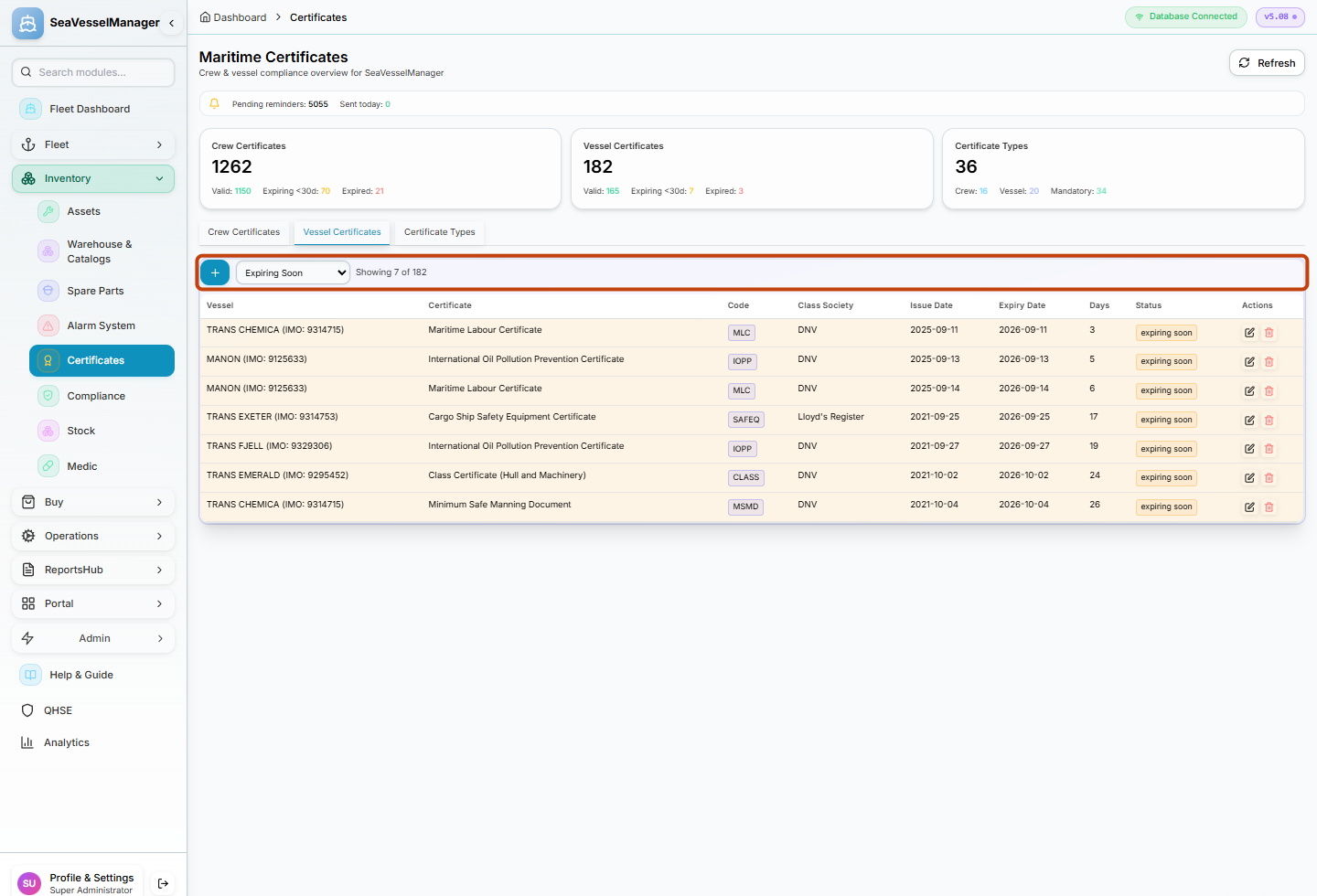
Vessel Certificates is scoped by the selected vessel. -
Check certificate expiry dates
Review the certificate list for the vessel.
Look at the Expiry or Expires In columns to find certificates that are close to expiry.
Use the search or filter fields if the list is long.
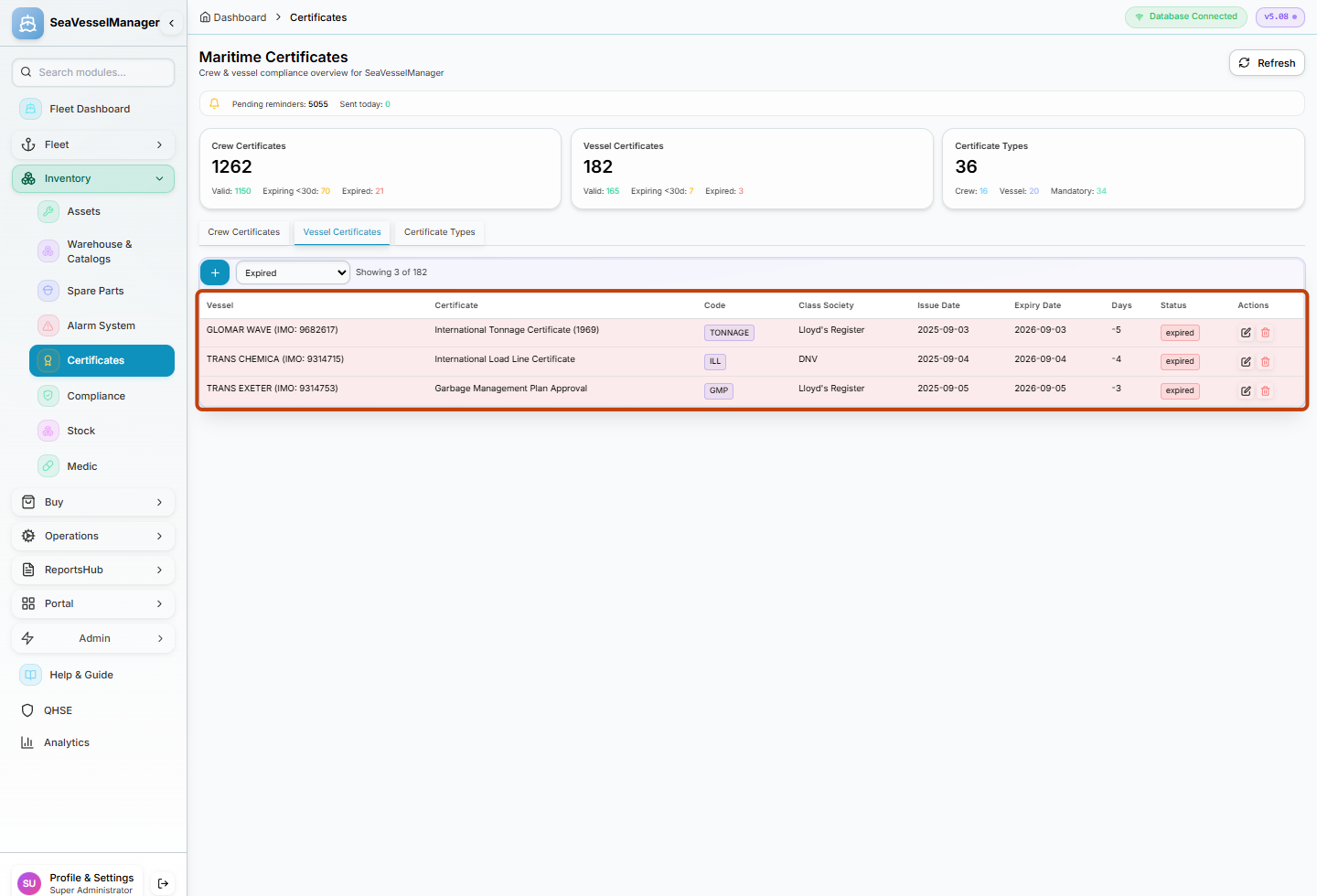
Expiry columns show which certificates need renewal attention.
Result
You have viewed the selected vessel's certificates and identified any near-expiry items without editing them.
FAQs
Does this guide cover crew certificates?
No. The Vessel Certificates tab shows certificates for the vessel. Crew certificates are covered in a separate certificate section or guide.