Certificates
Read a certificate type's details
Find a certificate type and read its requirements and configuration.
Overview
Certificate Types define the kinds of certificates the system tracks. This guide finds a certificate type and opens its details without changing it.
Before You Start
- Sign in with read access to the Certificates module. The verification session used superadmin.
- Know the certificate type name or category to search for.
Step-by-Step Instructions
-
Open Certificate Types and search
Open the Certificates module and switch to the Certificate Types tab or page.
Enter the certificate type name in the search field. The example searches for a specific type.
Click the matching type row to open its details.
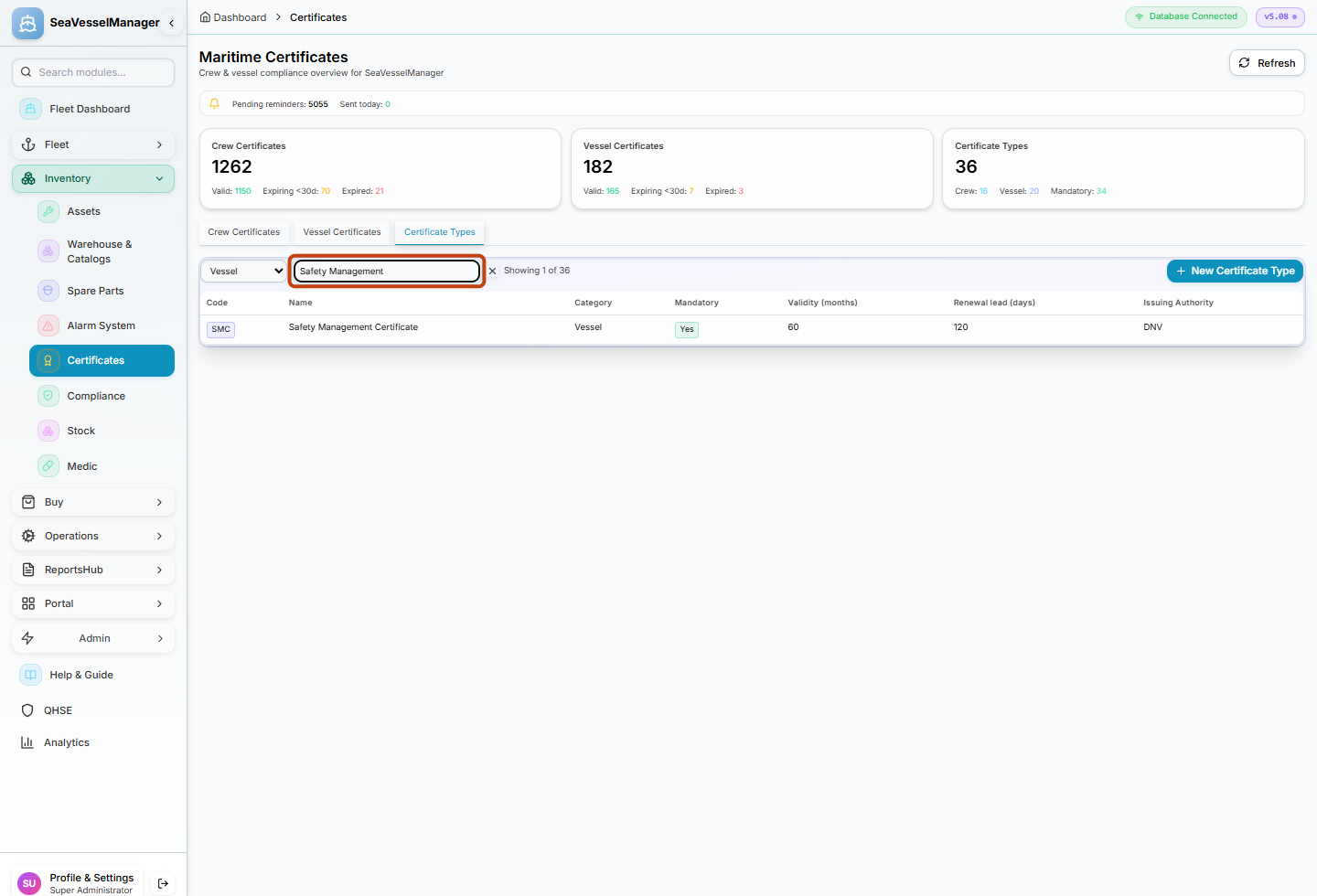
Use the search field to find the certificate type, then open its row. -
Read the certificate type details
Review the certificate type's fields, such as name, issuing authority, validity period and any required documents.
Do not select Edit or Save unless you intend to change the type.
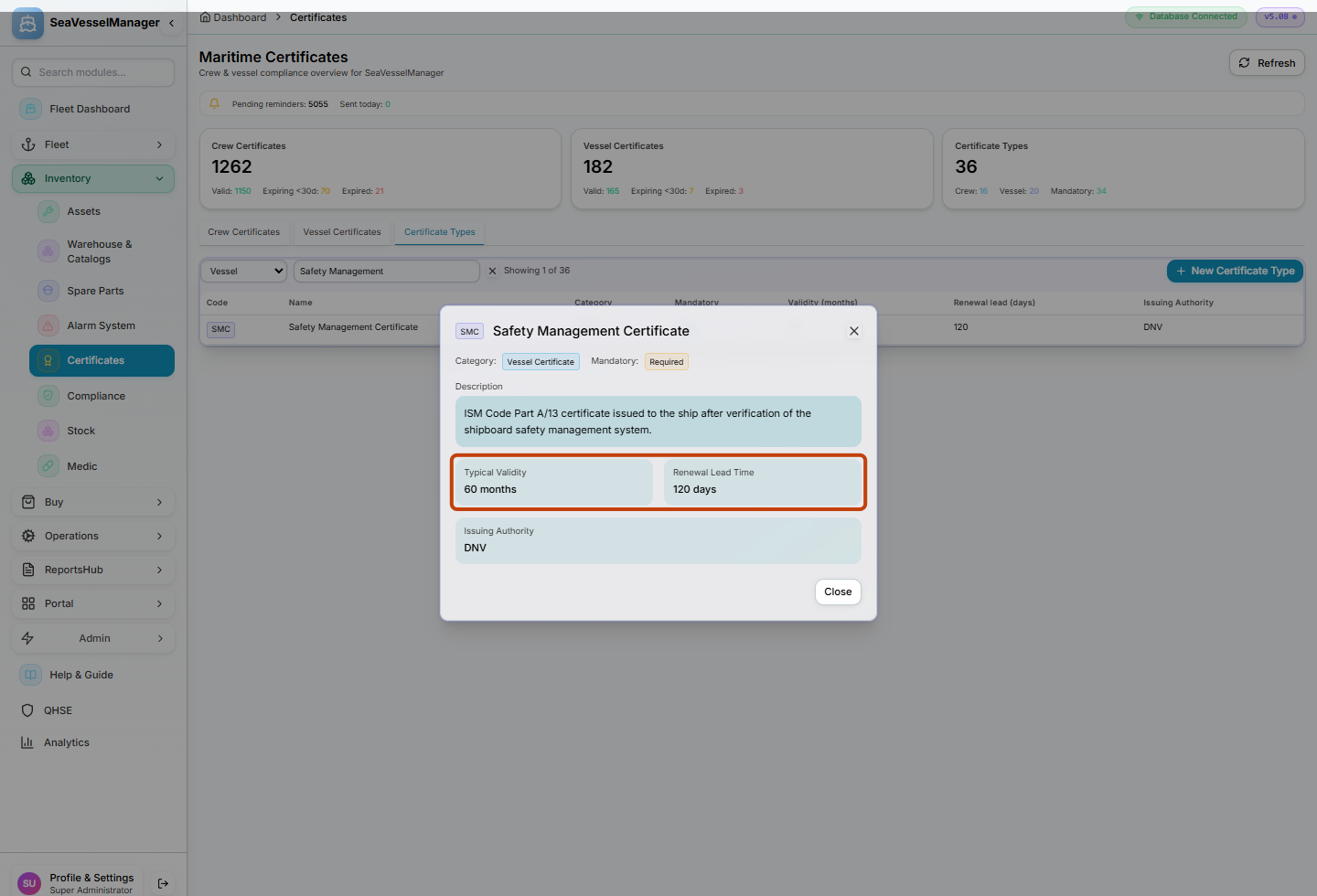
The detail panel shows the certificate type's requirements and configuration.
Result
You have located a certificate type and read its configuration without making any changes.
FAQs
Can I see which vessels use this certificate type?
The certificate type details may show related certificate records. Vessel-specific certificates are shown under Vessel Certificates.