Reports & Analytics
Find a report in the report catalog
Narrow the Reports catalog with search, module, and report-type filters.
Overview
Use the Reports page to find a report definition and read its description, module, type, and template name. These filters narrow the catalog; they do not generate an operational report or select vessel data.
Before You Start
- Sign in to SeaVesselManager with permission to view Reports.
Step-by-Step Instructions
-
Search for compliance reports
Open the Reports page at /reports.
Enter compliance in Search reports. Leave the module selector on All Modules and choose Compliance in the type selector on the right.
The list now shows the matching compliance definitions.
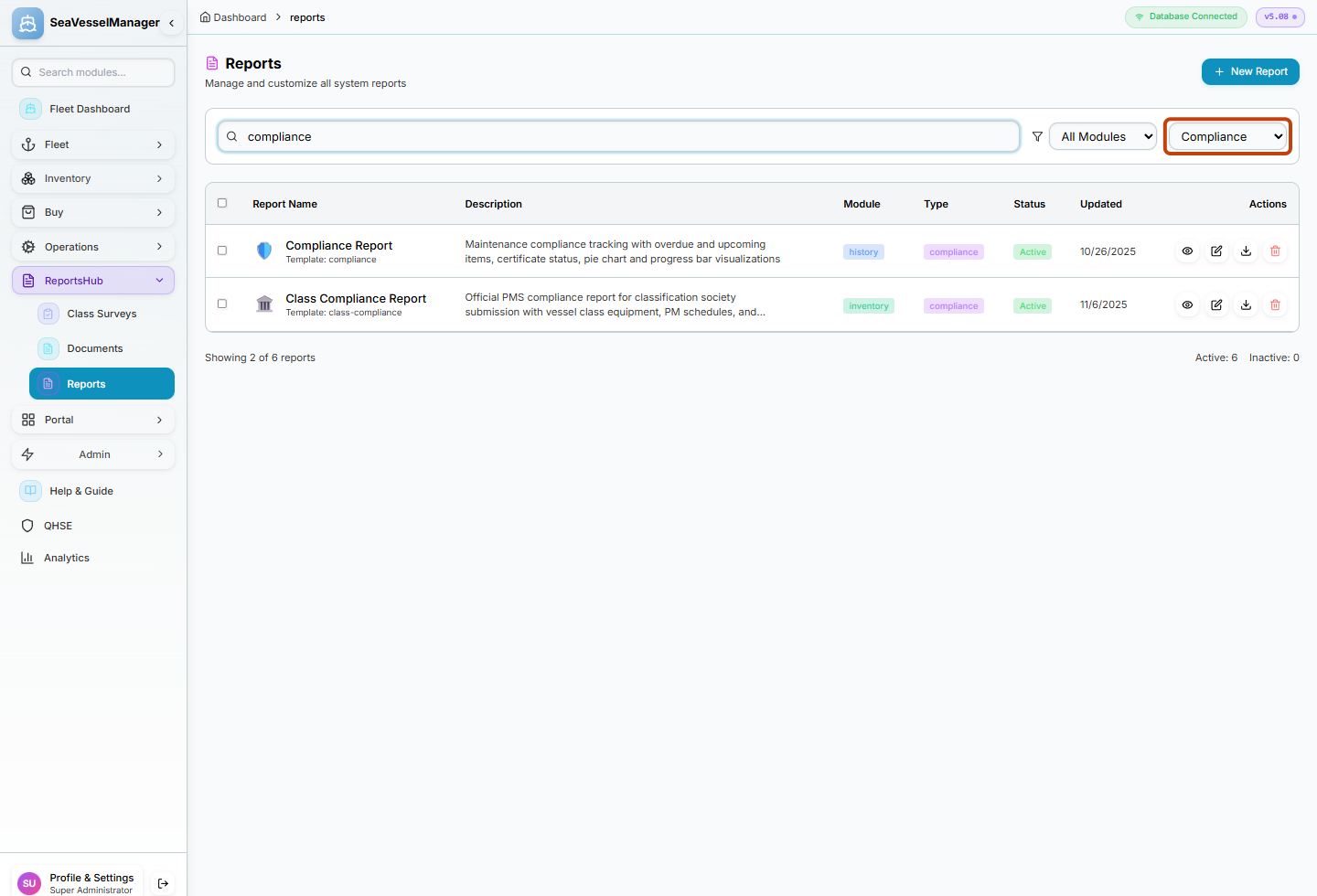
Search and the highlighted report-type selector work together. -
Narrow the results to a module
Choose Inventory in the module selector, keeping the search and Compliance type selected.
Review the remaining Class Compliance Report row. Its description and template name identify the catalog entry.
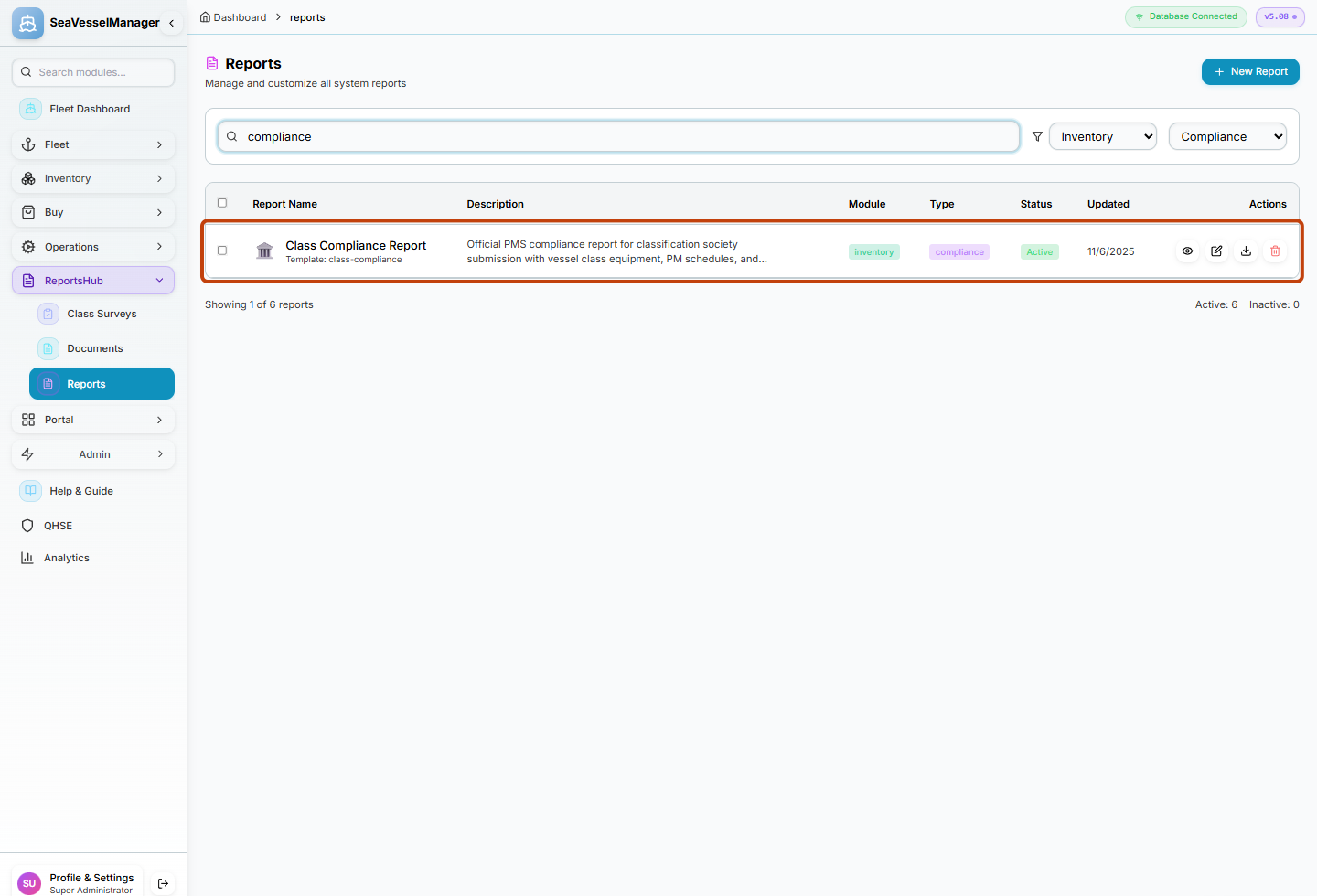
The combined filters leave one matching catalog entry in this example. -
Switch to a different report type
Clear the search text and return the module selector to All Modules.
Choose Date Range in the type selector. The Date Range Report definition appears; no start-date or end-date fields open.
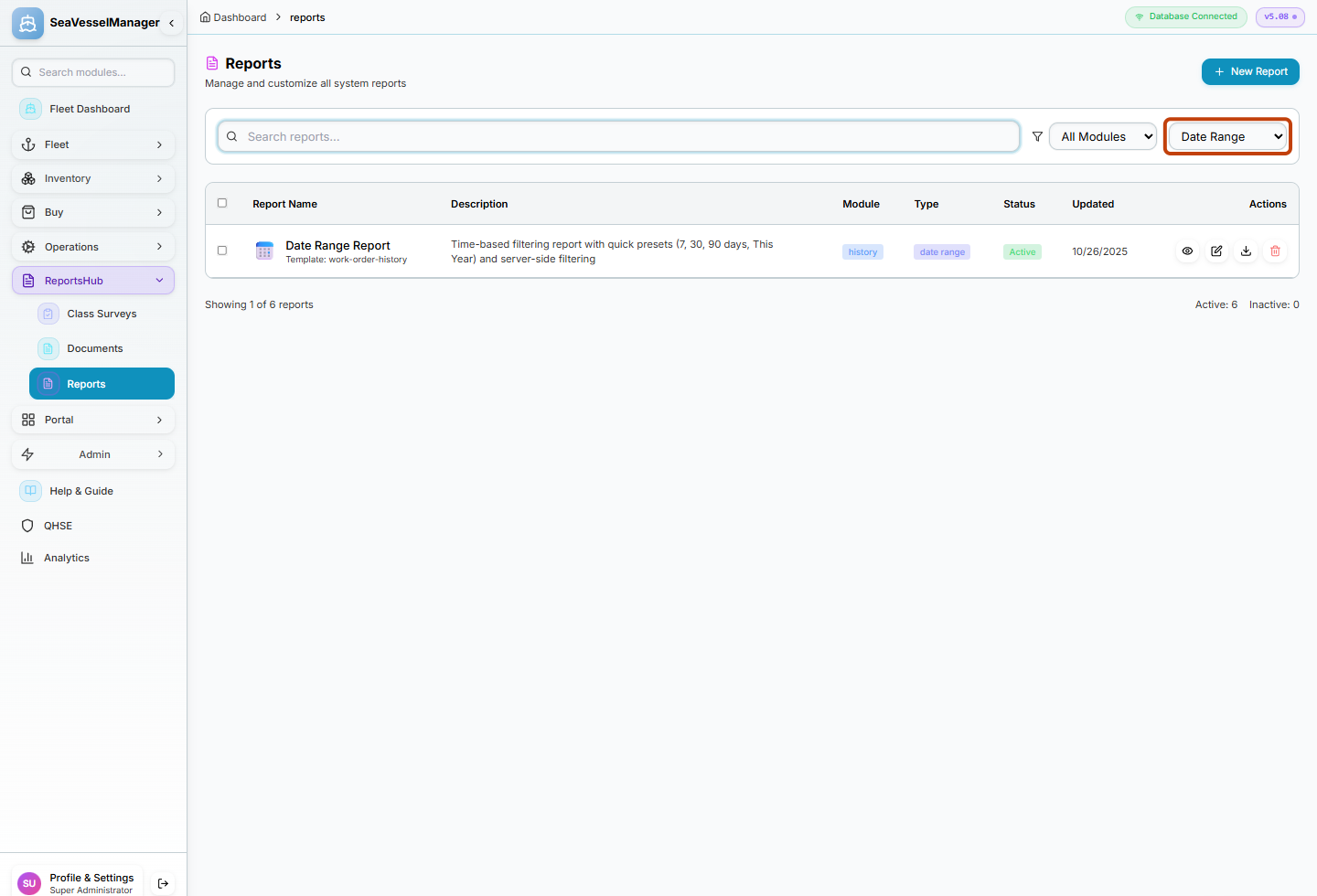
Date Range is a report type in this catalog, not a date filter.
Result
The catalog shows only definitions matching your current search, module, and report type.
FAQs
Does selecting Date Range choose the dates for my report?
No. On this page it selects the Date Range report definition. The catalog has no start-date, end-date, or vessel selector.
Why can the Active count be larger than the number of visible rows?
The Active and Inactive counts summarize the full catalog. The Showing count describes the filtered list.