Spare Parts & Inventory
Find a maker catalogue item and read its details
Select a maker category, search by part number, and inspect an existing warehouse catalogue item.
Overview
Use Warehouse & Catalogs to find a company catalogue item within a maker's parent category. The category selection and search combine; the item panel shows reference, stock and price information without creating an order.
Before You Start
- Sign in with Catalogs view (modules.catalogs.view) or Inventory view (modules.inventory.view).
- The maker category and catalogue items must already exist. The example uses Kongsberg Spare Parts Catalogue and PN-CONSU-25515.
- No vessel selection is needed for this warehouse catalogue lookup; it is not a vessel-stock search.
Step-by-Step Instructions
-
Select the maker's parent category
Open Warehouse & Catalogs at /catalogs and use the Warehouse Stock tab.
In Categories, click the chevron beside Kongsberg Spare Parts Catalogue to reveal its child category names, then click the parent category name itself.
Keep the parent selected for this lookup. Confirm the item count identifies Kongsberg Spare Parts Catalogue; the example contains 70 items.
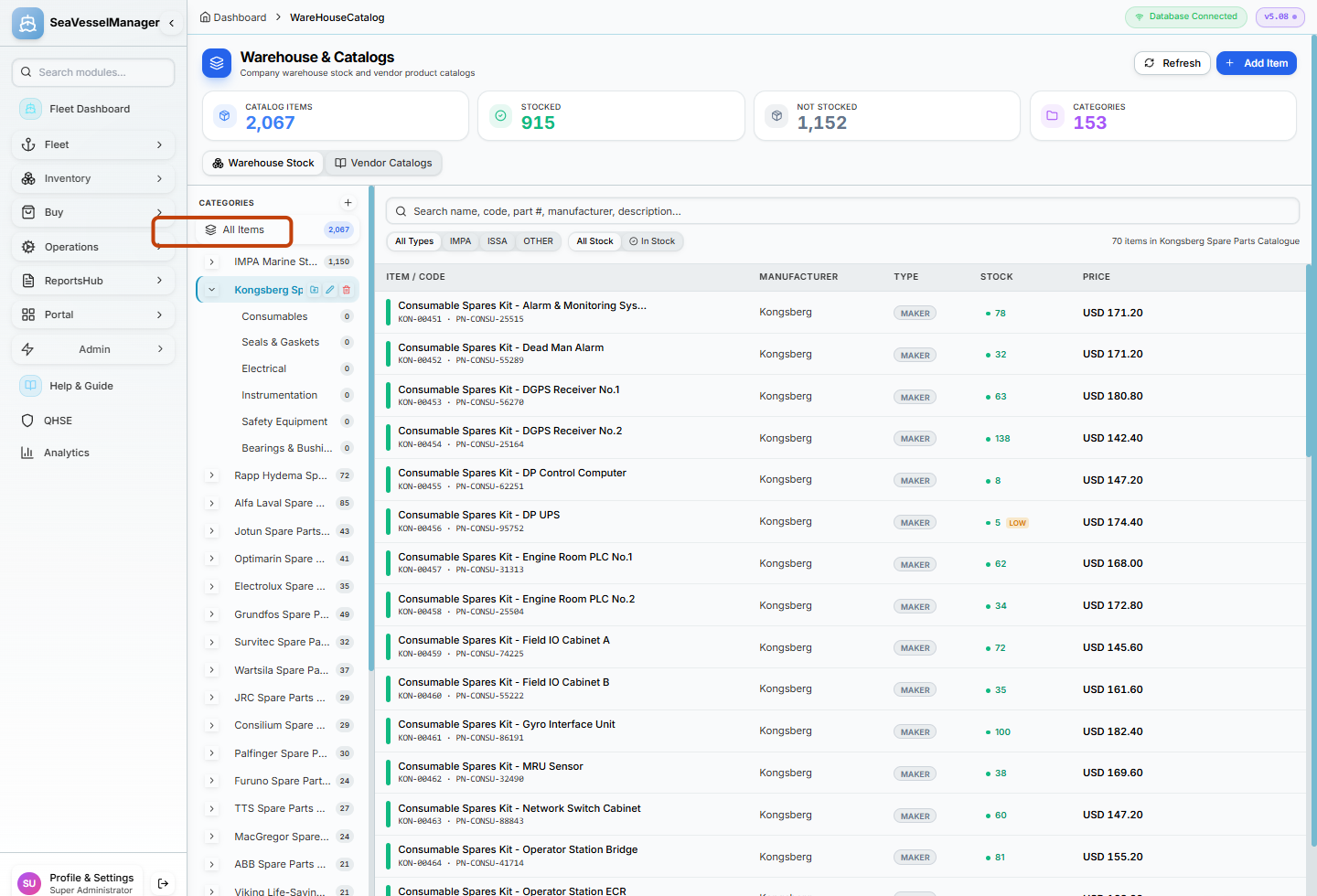
Expanding a branch and selecting its parent category are separate actions. -
Search by the maker part number
Enter PN-CONSU-25515 in Search name, code, part #, manufacturer, description....
Review the remaining Consumable Spares Kit - Alarm & Monitoring System row. The example narrows the selected category to one item.
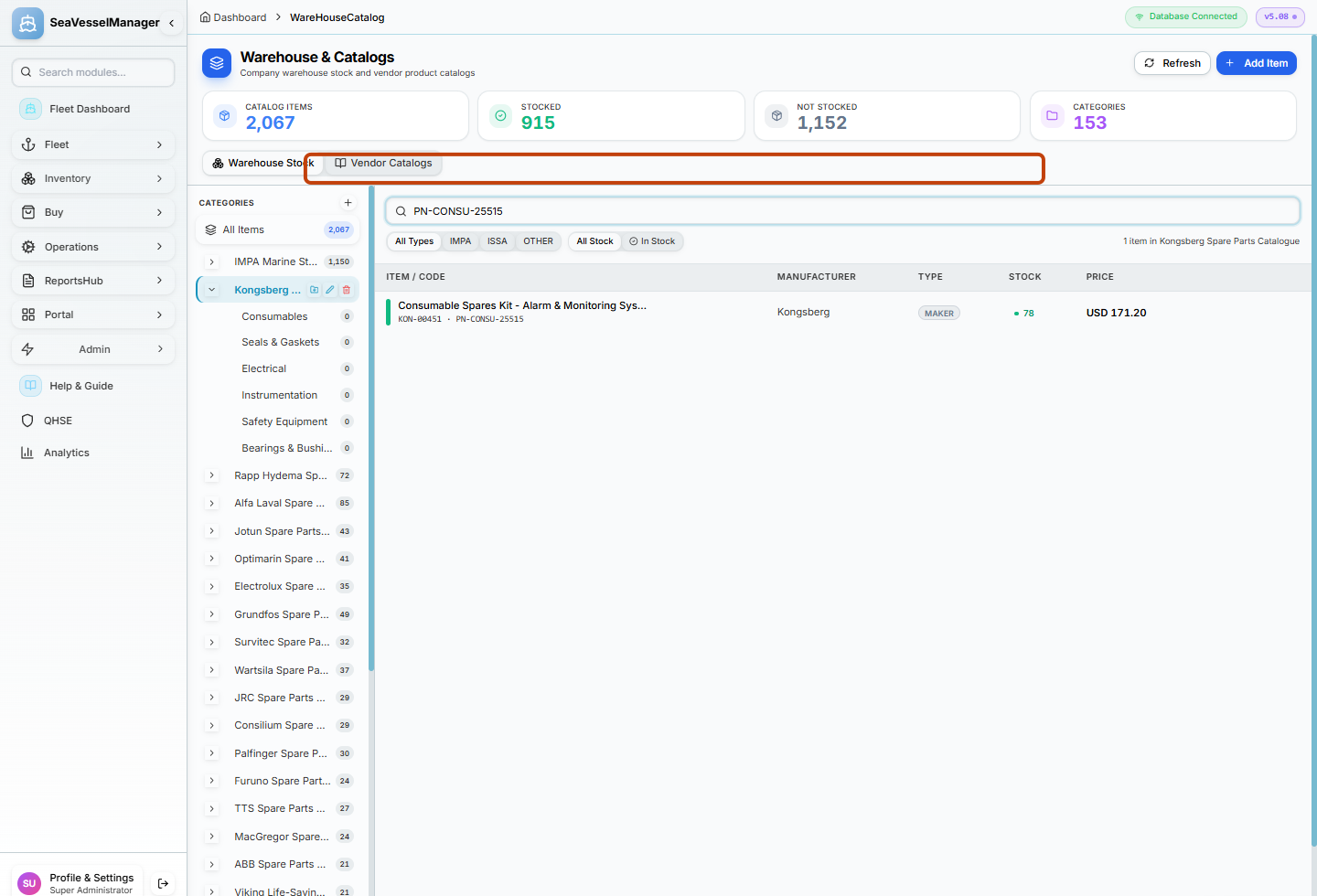
The search applies within the selected maker category. -
Read the item panel
Click Consumable Spares Kit - Alarm & Monitoring System in the results table.
Read the panel on the right: Code, Part No, Manufacturer, Unit, Category, In Stock, On Order and Unit Price appear when data is available.
Confirm Part No is PN-CONSU-25515. Do not click Request to Order, Edit or Delete for this viewing task.
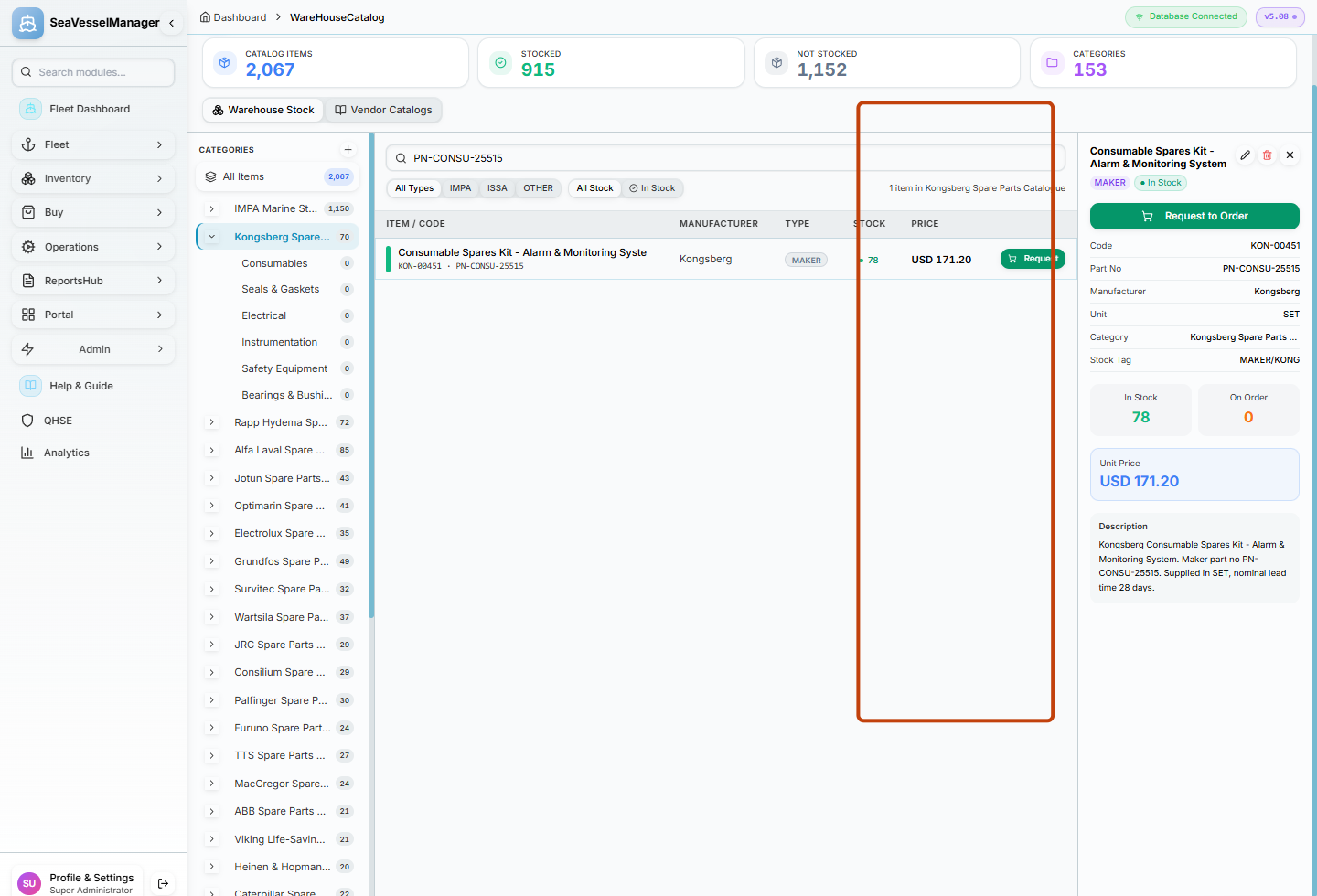
The item panel is a reference view; opening it does not submit an order.
Result
You have found one existing maker catalogue item and checked its reference and stock details without modifying it or submitting a purchasing request.
FAQs
Does expanding the chevron select a category?
No. The chevron expands or collapses the child list. Click the category name to apply that category to the item list.
Is Warehouse Stock the same as Vessel Spares?
No. This page lists warehouse catalogue items. Vessel Spares requires selecting a vessel and reads that vessel's spare stock.