Fleet Management
Open a vessel's dashboard
Open the dashboard for the correct vessel from its KPI card.
Overview
Fleet staff can open a vessel dashboard to see its identity, current-position overview and operational panels in one place. This task helps you confirm the vessel before reviewing its information.
Before You Start
- Sign in with vessel-view permission (modules.vessels.view) and access to the vessel.
- Open Fleet > Vessel KPIs. BB COASTER is the example used here; related dashboard panels may also depend on access to their modules.
Step-by-Step Instructions
-
1. Open the correct vessel card
Choose Cards on Vessel KPIs.
Locate BB COASTER. Confirm the vessel name and, where available, its IMO or MMSI.
Click Open dashboard at the bottom of that card.
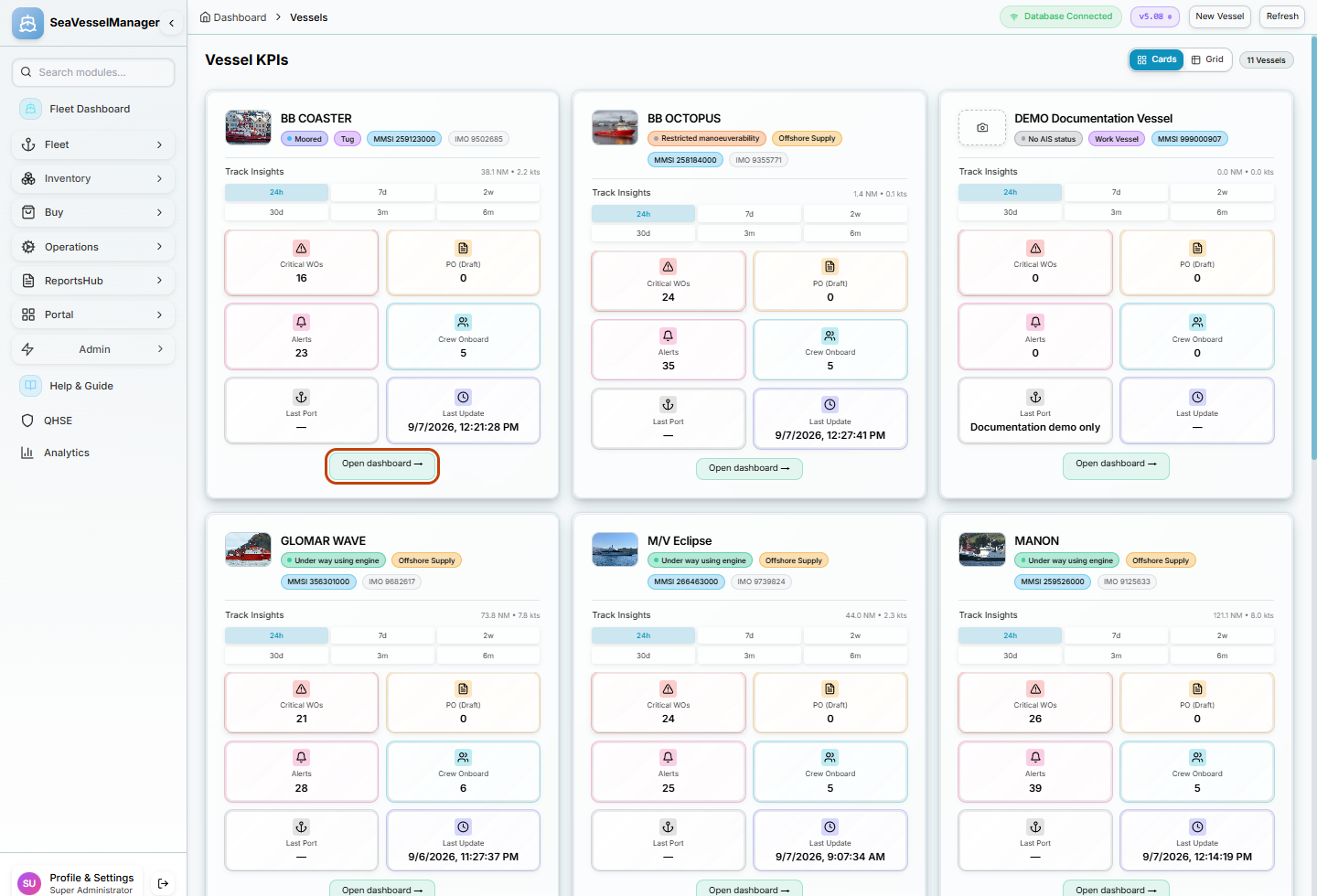
Use the link on the intended vessel's card, not on a neighbouring vessel. -
2. Confirm the dashboard identity and Overview
Check that BB COASTER appears in the dashboard heading and breadcrumb.
The Overview tab opens first. Review the Route / Track area and scroll to the operational panels you need.
Use the Vessels breadcrumb to return to the fleet list when finished.
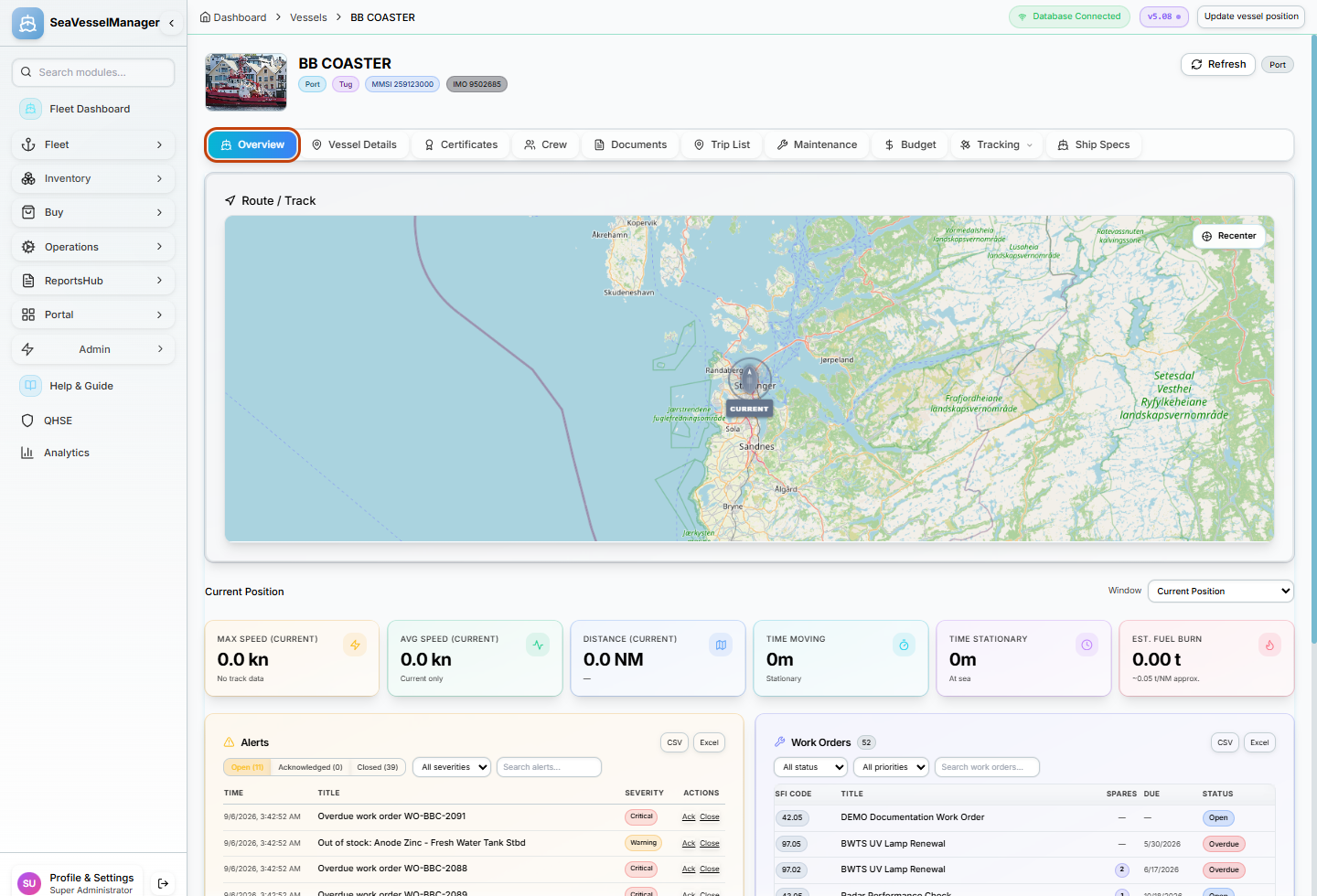
The name and selected Overview tab confirm that the vessel dashboard has opened.
Result
The selected vessel's dashboard is open on Overview, with its identity confirmed.
FAQs
How do I avoid opening the wrong vessel?
Check the card name and identifying numbers before selecting Open dashboard, then confirm the same name in the dashboard heading.