Equipment & Assets
Find a component and open its details
Use component search and a name-column filter, then open the matching asset.
Overview
Engineers and planners can find an equipment record quickly when they know its name. Search Components looks beyond the name, so a column filter helps narrow results before opening the full record.
Before You Start
- Sign in with modules.assets.view or modules.inventory.view and access to the vessel.
- Open Inventory > Assets and select the intended vessel. The example is Main Engine No.1 on BB COASTER.
Step-by-Step Instructions
-
1. Search the selected vessel's components
Confirm BB COASTER under Select Vessel.
Enter Main Engine No.1 in Search Components.
Review the flat result list. In this example, eight rows match because the search also checks descriptions and other component information.
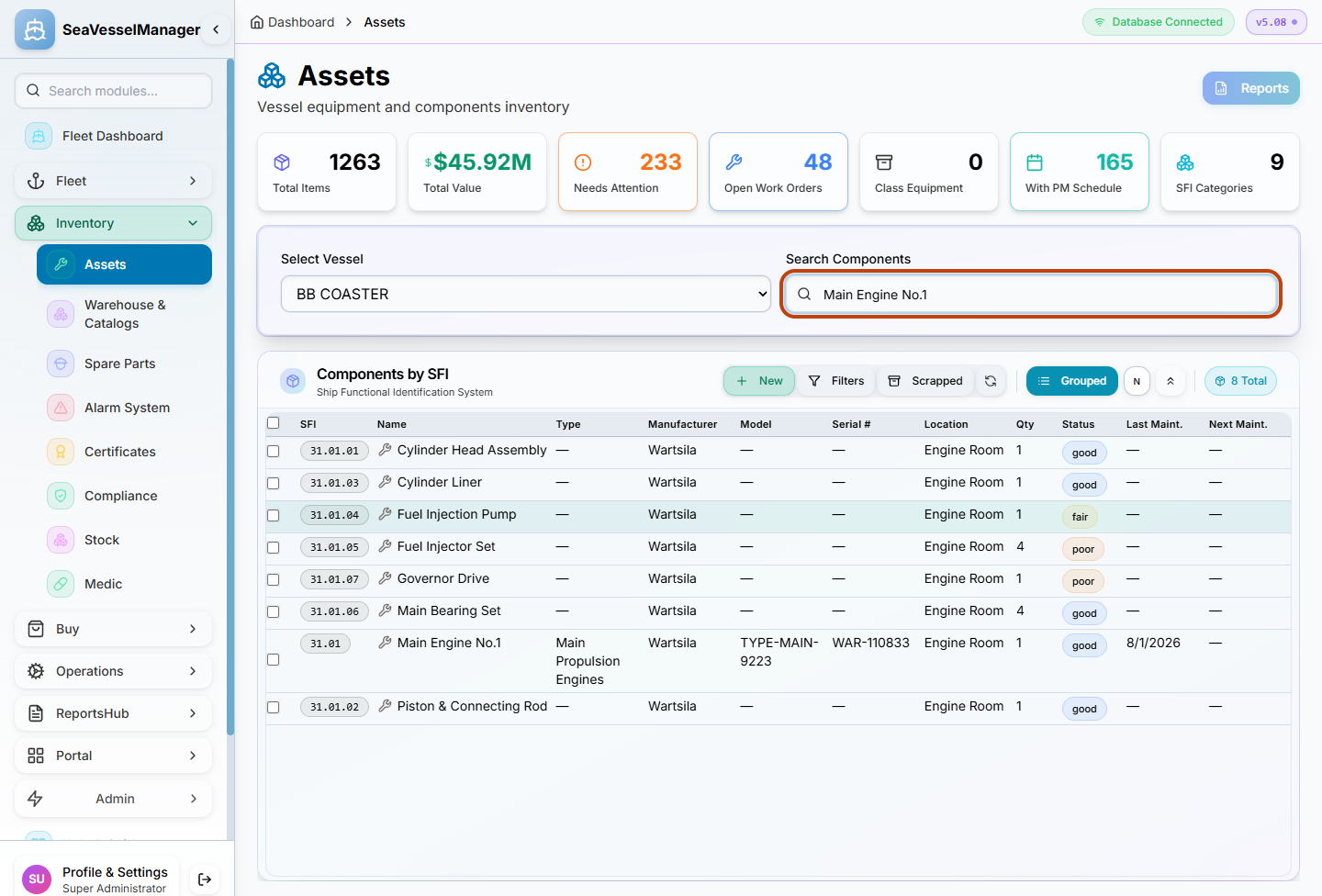
The broad search can include related parts whose descriptions mention the engine. -
2. Narrow the list by component name
Click Filters in the Components by SFI toolbar.
Enter Main Engine No.1 in the Filter Name field beneath the Name heading.
Confirm that the remaining row has SFI 31.01 and the expected manufacturer and location.
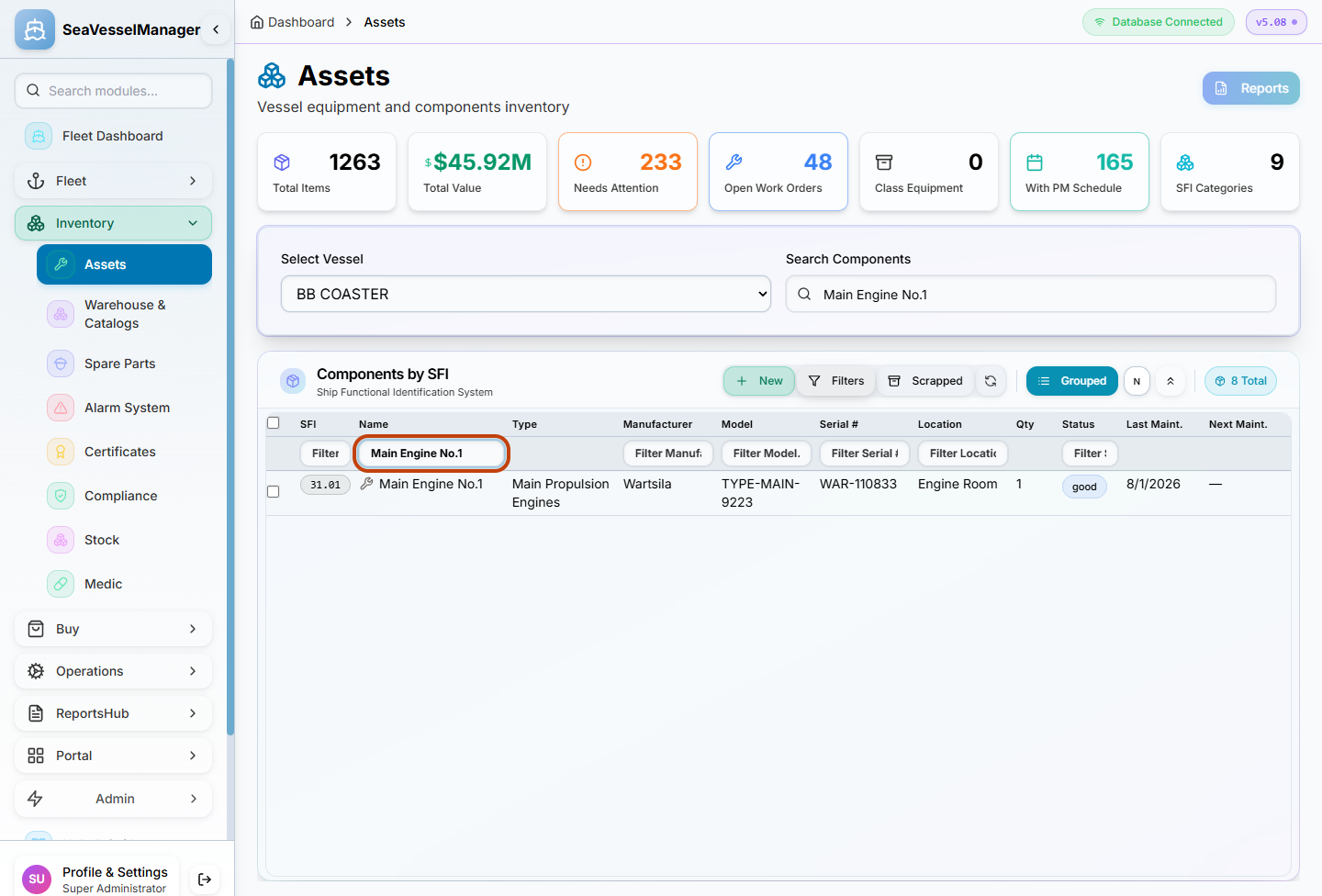
A name-column filter narrows the displayed rows without changing the asset. -
3. Open the component card
Double-click the Main Engine No.1 row.
Check the component card's name, BB COASTER vessel badge and SFI code.
Click Open in the card header. Its tooltip reads Open full page.
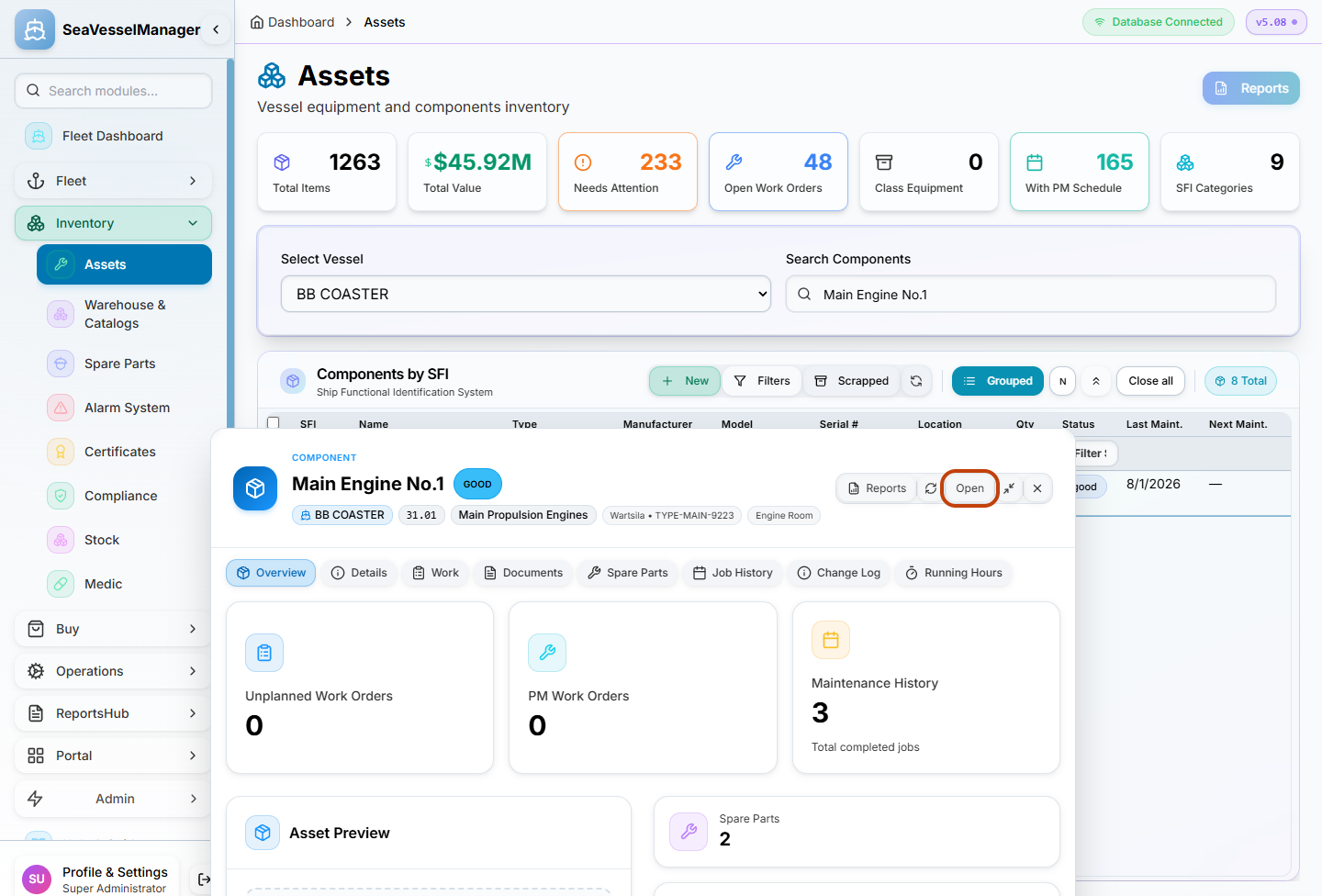
Double-click opens a card; Open takes you to the full asset page. -
4. Review the full asset record
Confirm Main Engine No.1 and BB COASTER at the top of the page.
Read Main Information, including Maker, Serial number and Location. Keep the page in its initial viewing state.
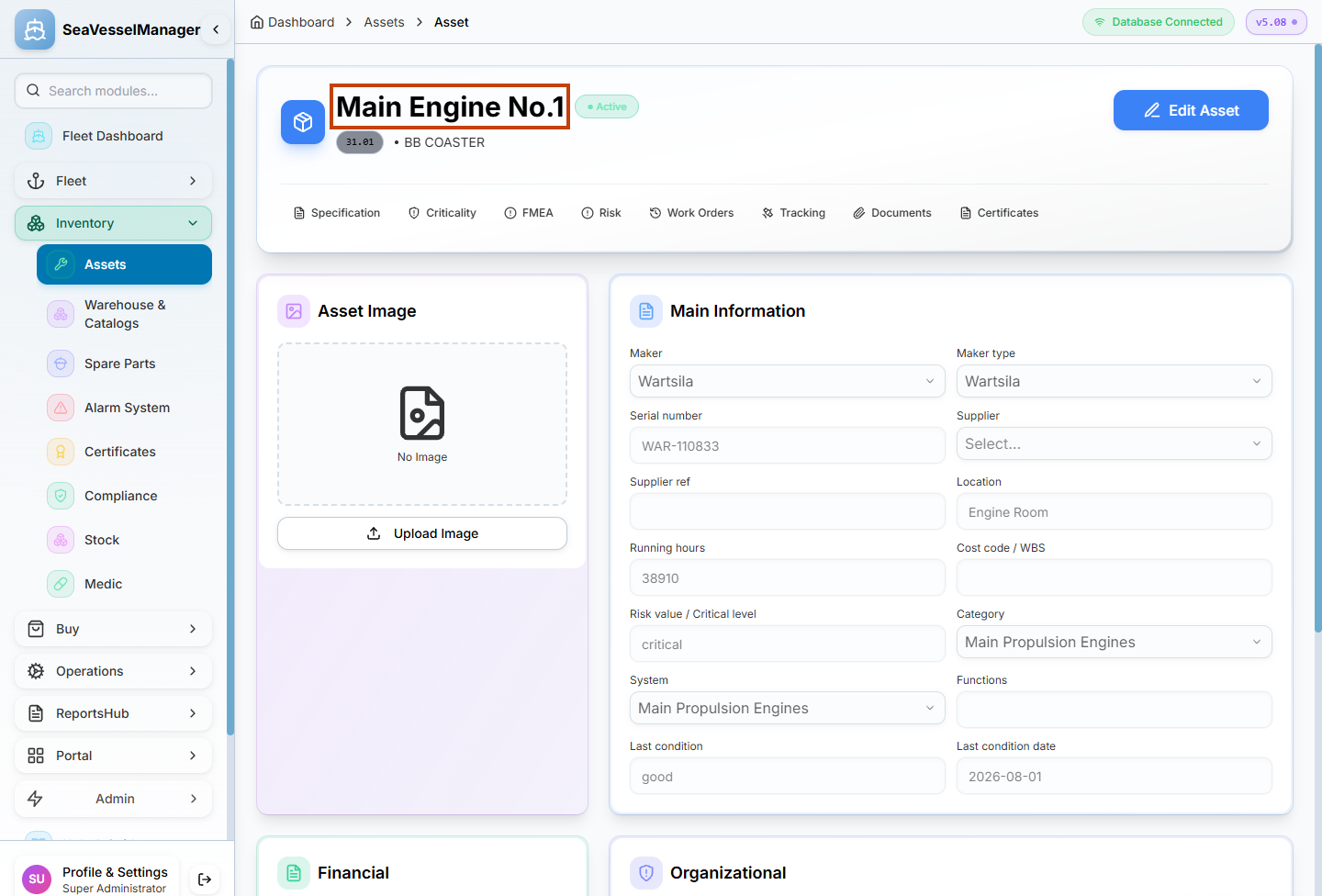
The full record presents the component's stored information.
Result
The intended component's full detail page is open, with its vessel and SFI identity confirmed. No edit was made.
FAQs
Why does searching an engine name also show parts?
Search Components checks the name, description, manufacturer and SFI information. A part can match through its description. Use Filter Name to narrow the list by name.