Fleet Management
Compare vessels in Cards and Grid view
Switch Vessel KPIs views and sort the vessel list by name.
Overview
Fleet coordinators can use SeaVesselManager's Vessel KPIs page to compare vessels without opening each dashboard. Cards show a vessel at a glance; Grid puts the same fleet into rows that you can sort.
Before You Start
- Sign in with permission to view vessels (modules.vessels.view).
- Your account must have access to the vessels you want to compare. This walkthrough uses the existing BB COASTER demo vessel.
Step-by-Step Instructions
-
1. Open Vessel KPIs and choose Cards
Expand Fleet in the left menu and choose Vessel KPIs.
Choose Cards at the upper right. Find BB COASTER and review its Critical WOs, PO (Draft), Alerts, Crew Onboard, Last Port and Last Update tiles.
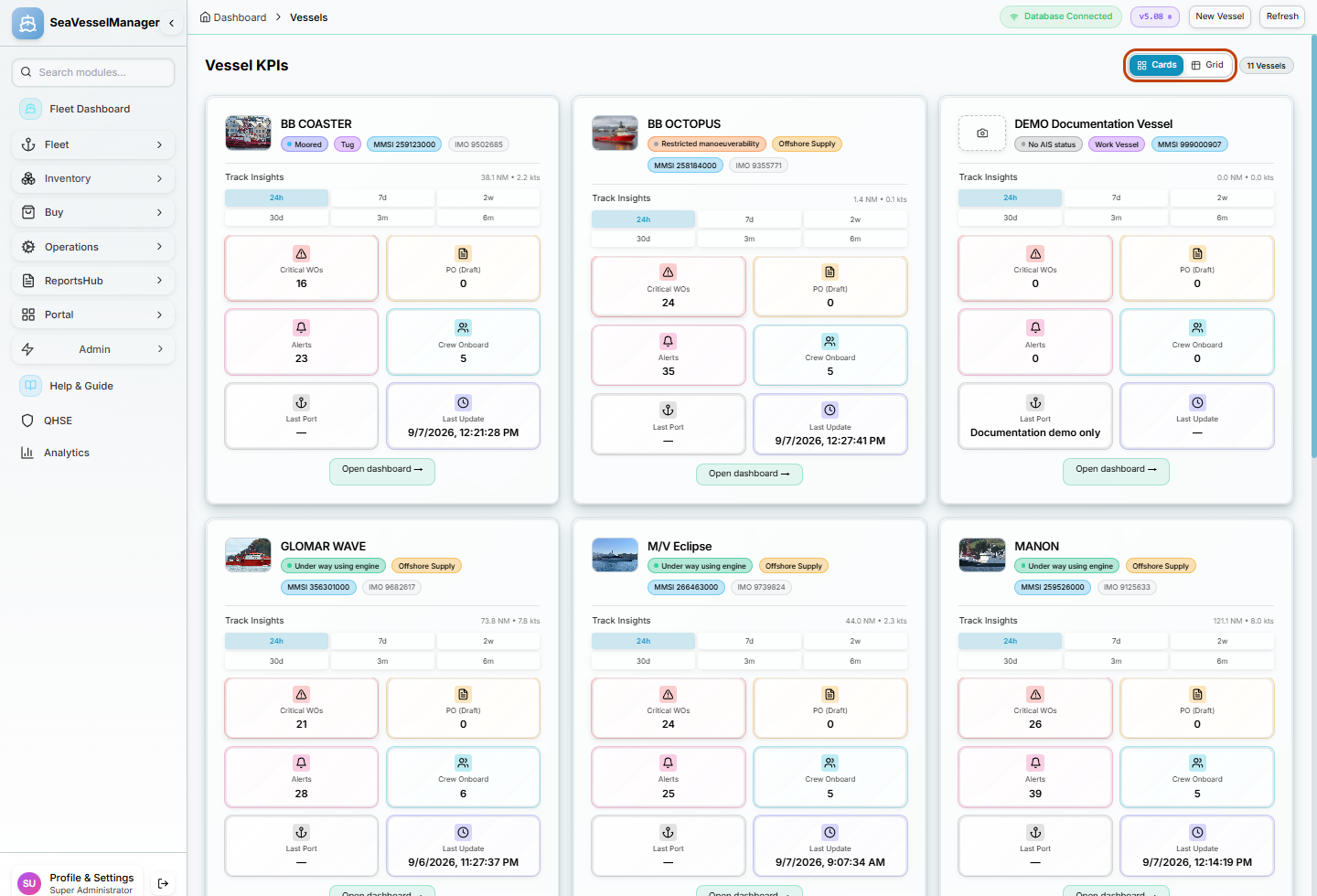
Cards groups each vessel's indicators together. -
2. Switch to Grid and sort by vessel name
Choose Grid to display vessels in a table.
Click the Vessel column heading. In the tested list, the initial ascending order changed to descending, with TRANS FJELL first.
Click Vessel again to return to ascending order, with BB COASTER first. Use the small arrow beside the heading to check the direction.
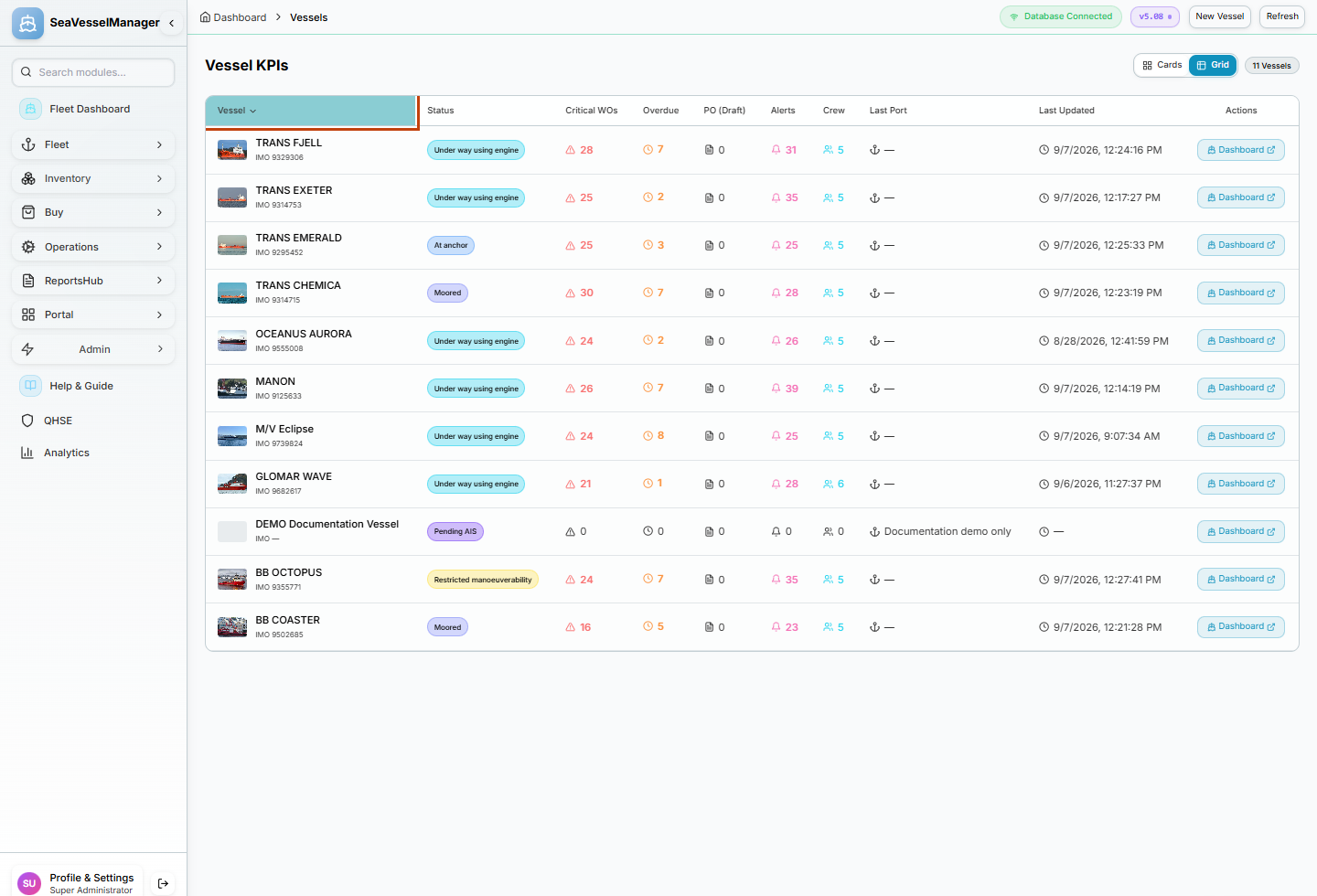
Clicking the same heading again reverses the sort order.
Result
The fleet is displayed in the chosen view, and the Grid is ordered by vessel name. No vessel record has been changed.
FAQs
Why do my counts differ from the screenshot?
The screenshots show one demo session. Your vessel access and current operational records determine the values you see.